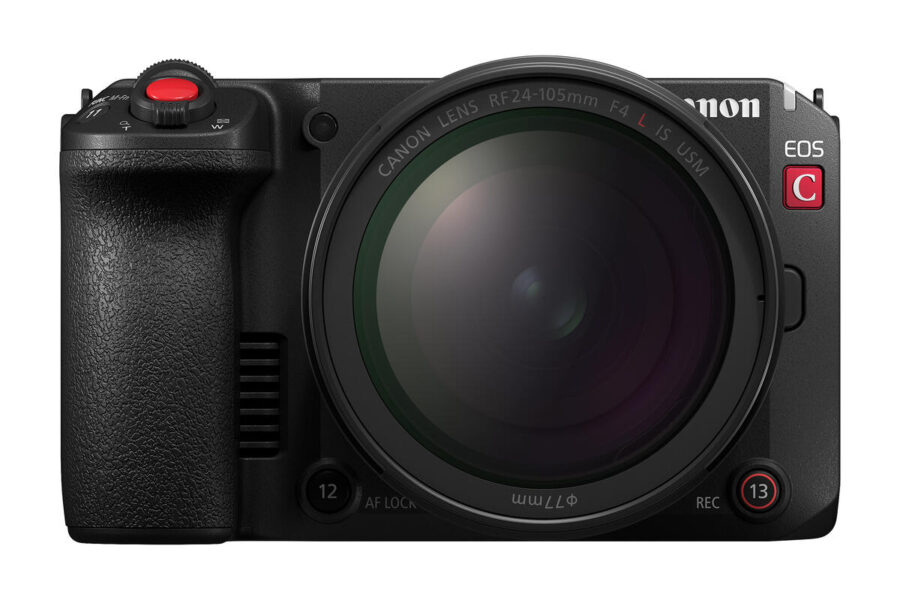
Canon has announced new firmware updates for its Cinema EOS lineup, including the EOS C50, EOS C80, EOS C400, and XF605. These updates bring important new features, workflow enhancements, and bug fixes, ensuring smoother operation for professional filmmakers and broadcast users.
The highlight is the EOS C50 Firmware v1.0.4.1, which introduces multiple new functions and fixes. Canon continues to refine its cinema cameras to meet the evolving needs of production environments.
Canon EOS C50 Firmware v1.0.4.1
Download Canon EOS C50 Firmware v1.0.4.1
New Features & Enhancements
- Added [Ease In / Ease Out] to Digital Zoom Speed for smoother transitions.
- Enabled external USB device control for key functions:
- Start/Stop Recording
- One‑Shot AF
- Manual Focus Adjustment
- Iris, Shutter Speed, ISO Speed
- Level indicator color changes when orientation is level.
- Automatic reconnection attempts during SRT protocol streaming.
- View Assist can now be applied and adjusted during playback.
- Supports Broadcast and Multicast transmission methods in CV Protocol.
- New communication setting menu with OpenLensIO‑Equiv. Model selection.
- Look File registration improvements with description reflection in Custom Picture settings.
Bug Fixes
- Fixed issue preventing certain CFexpress cards from formatting.
- Fixed Digital IS metadata output error under specific slow/fast motion settings.
- Fixed issue where the camera may not be recognized when connected via USB to a smartphone.
- General operational stability improvements.
Other Canon Cinema EOS & XF605 Updates
Alongside the EOS C50, Canon has also released firmware updates for the EOS C80, EOS C400, and XF605. These updates focus on workflow refinements, bug fixes, and stability improvements, ensuring consistency across the Cinema EOS lineup.
Why These Updates Matter
Firmware updates are critical for professional cinema cameras, as they often introduce new workflow tools and fix issues that can disrupt production. The EOS C50 v1.0.4.1 update, in particular, adds external device control, streaming reliability, and playback enhancements, making it more versatile for broadcast and film environments.
The Canon Cinema EOS lineup is available now at trusted retailers:
How to Install the Firmware Update
- Download the firmware file from Canon’s official support page.
- Ensure your camera battery is fully charged before updating.
- Copy the firmware file to a formatted memory card.
- Insert the card into the camera and navigate to Setup Menu → Firmware Version → Update.
- Follow the on‑screen instructions until the update completes.
Should You Update?
Yes — these updates are recommended for all Canon EOS C50, C80, C400, and XF605 users. The new features and bug fixes improve reliability and expand workflow options, making the cameras more effective for professional production environments.
Stay tuned for more firmware news and Canon updates here on DailyCameraNews.
For those building a Canon system, check out our best Canon RF lenses roundup and explore our system guides for deeper insights.
Join the Canon Camera Users Group to share your Canon photography, ask and answer questions that arise and help each others!