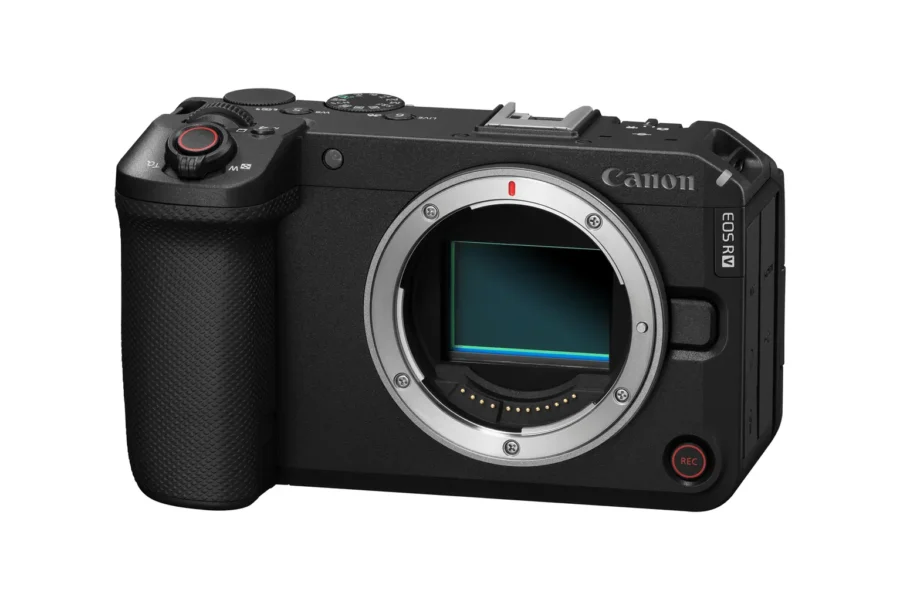
Canon has officially released Firmware Update Version 1.1.0 for the EOS R6 V full‑frame mirrorless camera. This update introduces new features such as grid display during movie recording, external flash support, wireless remote compatibility, and multiple bug fixes that improve overall stability.
The Canon EOS R6 V is a versatile hybrid camera designed for both photographers and videographers. With firmware v1.1.0, Canon continues to refine performance and expand creative possibilities. For more Canon coverage, explore our Canon EOS R6 news and our Canon system updates.
Firmware v1.1.0 Download
Download Canon EOS R6 V Firmware v1.1.0 (select your OS, then scroll down to the Firmware Updates section)
What’s New in Firmware v1.1.0
- Added ability to set [grid display] during movie recording.
- Added support for external flash units:
- Flash firing
- E‑TTL balance
- E‑TTL II meter
- Slow synchro
- Flash function settings
- Flash C.Fn settings
- Added support for the Wireless Remote Controller BR‑E2.
- Added support for the Software Development Assistance Kit (EDSDK/CCAPI).
Bug Fixes & Stability Improvements
- Fixed issue impacting shooting ability if auto power‑off was activated during interval timer shooting.
- Fixed issue where the camera may not be recognized when connected to a smartphone via USB.
- Fixed issue causing incorrect movie digital IS metadata output when recording below 24 fps in [Slow & Fast Motion Movie] mode.
- Improved overall operational stability.
Why This Update Matters
Firmware v1.1.0 enhances both creative and technical workflows. Videographers gain access to grid display for precise composition, while photographers benefit from expanded flash support. The addition of wireless remote compatibility and developer kit support makes the EOS R6 V more versatile for professional setups.
Affiliate Mentions: Where to Buy
The Canon EOS R6 V is available now at trusted retailers:
How to Install the Firmware Update
- Download the firmware file from Canon’s support page.
- Ensure your camera battery is fully charged before updating.
- Copy the firmware file to a formatted memory card.
- Insert the card into the EOS R6 V and navigate to Setup Menu → Firmware Version → Update.
- Follow the on‑screen instructions until the update completes.
Should You Update?
Yes — this update is recommended for all EOS R6 V users. The new features and bug fixes improve reliability, expand creative options, and strengthen the camera’s role as a hybrid tool for both photography and video production.
Related Links
Stay tuned for more firmware news and Canon updates here on DailyCameraNews.
Join the Canon Camera Users Group to share your Canon photography, ask and answer questions that arise and help each others!
Read more Canon Rumors

See More DCN on Google
Add Daily Camera News as a trusted source to see our latest camera reviews, deal alerts, and photography news first in Google Search.
Explore Recommended Gear
Looking for the best cameras, lenses, and accessories? Check out our curated, hand-picked gear lists on Amazon.







Flash sync speed?