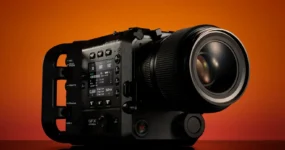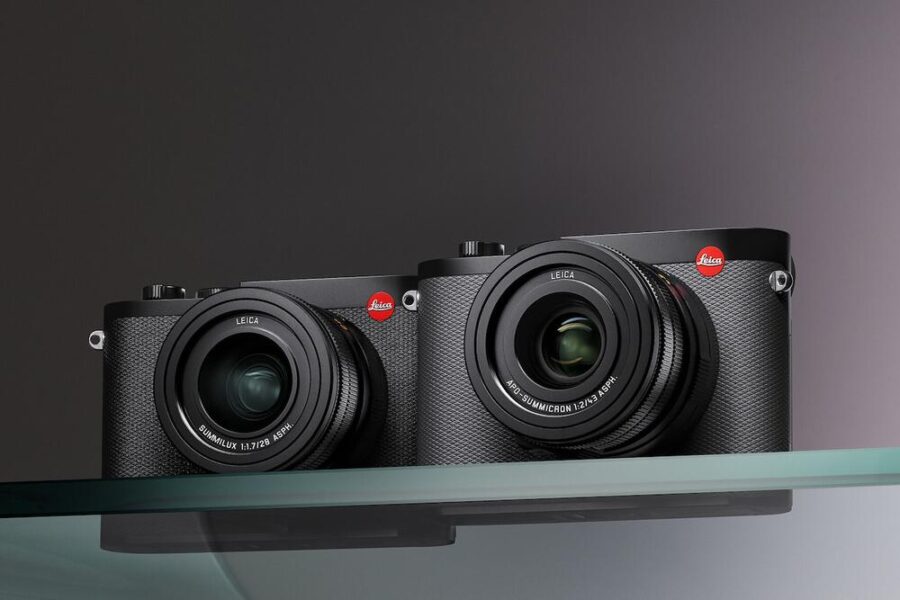
Leica has released firmware version 5.0.0 for the Leica SL3, SL3-S, and SL3-P alongside the Leica Q3, Q3 43, and Q3 Monochrom. Following an earlier preview from Leica Australia that briefly appeared before being set to private, the official firmware files and release notes are now live—confirming that the Q3 Monochrom is included in the rollout.
This major feature update delivers two capabilities SL3 and Q3 shooters have long requested: Focus Bracketing across all six models, and Pre-Shot capture exclusively for the SL3 camera bodies. For photographers comparing how these full-frame cameras stack up against other systems, our Ultimate Mirrorless Camera Guide offers broader context across the market.
Version, Compatibility & Prerequisites Note: Firmware Ver. 5.0.0 applies to the Leica SL3, SL3-S, and SL3-P (superseding firmware 4.2.0 on the SL3/SL3-S and 4.2.2 on the SL3-P), as well as the Leica Q3, Q3 43, and Q3 Monochrom (updating from version 4.1.1). Before starting, make sure your camera battery is fully charged and use a freshly formatted memory card or the official Leica FOTOS app.
What’s New in Leica Firmware 5.0.0
Leica’s release notes divide the new capabilities, workflow refinements, and bug fixes between the L-mount SL3 family and the fixed-lens Q3 family:
- Focus Bracketing (All Six Models): Introduces a dedicated shooting mode where you configure the number of frames, focus step, and capture order for focus-stacking workflows.
- Pre-Shot Capture (SL3, SL3-S & SL3-P Only): Using the electronic shutter in continuous mode, half-pressing starts buffering frames so a full press saves the prior 0.5, 1.0, or 1.5 seconds along with subsequent shots.
- L-Mount Lens & Control Upgrades (SL3 Series): Adds in-camera customization for FN buttons on compatible L-Mount lenses, selectable focus ring rotation direction, Focus Recall and Power Focus for the Sigma 300-600mm F4 Sports, automatic detection of lenses without focus or aperture motors, a new Summicron-M 66 f/2 lens profile, a stability display for hand-held Multi-Shot, and instant AF Detection toggling via an FN button.
- Display & Handling Refinements (SL3 Series): Delivers a sharper magnified EVF view on the SL3-S and SL3-P, an optional shutter-close-on-power-off setting for sensor dust protection on the SL3-P (off by default), 0 EV starting exposure compensation in M mode, a 1/200 s default shutter speed in M and S modes, and moving Create Video to the Review overlay menu.
- SL3 Bug Fixes: Resolves AF-Lock behavior with Eye/Face/Body or Animal detection active, auto white balance drift in Tungsten bursts, 2 TB memory cards misreporting as 1 TB, Follow Focus readouts on select L-Mount lenses, and waveform monitor deactivation via an FN button.
- Video, AF & Monitoring Upgrades (Q3, Q3 43 & Q3 Monochrom): Adds lower-bitrate Long GOP video options across resolutions and frame rates including 8K and C8K, Vehicle detection (whole vehicles or specific parts) under AF Detection, full-screen HDMI mirroring with on-screen icons included, faster electronic shutter response at 15 fps and above, AF Detection assignment to an FN button, a clean full-screen Review view, easier multi-select in Playback, expanded Control Center options, and a worn BP-SCL6 battery warning.
- Q3 Bug Fixes: Fixes clipping display behavior in Leica Looks, EVF/LCD toggling in Playback, and the focus frame forgetting its centered position.
To check your current firmware version, download the official update packages, and review model-specific notes, visit the official Leica Downloads hub or update directly through the Leica FOTOS app. Be sure to select the exact firmware file matching your specific camera body before transferring it to your card.
How to Install Firmware 5.0.0
You can update your camera via the Leica FOTOS smartphone app or by using a freshly formatted memory card:
- Charge the Battery & Back Up Data: Confirm your battery is fully charged and back up any photos or custom settings you do not want to lose before formatting a card.
- Format Your Memory Card: Insert a compatible SD/UHS-II card into the camera and format it in-camera so the card is clean and ready.
- Copy the Firmware File (Card Method): Download the firmware file for your exact SL3 or Q3 model from Leica’s download page and place the update file directly in the root directory of the formatted card—not inside a folder.
- Start the Update: Either follow the guided prompt in the Leica FOTOS app or insert the card into the camera, open the camera information/firmware menu, and confirm the update to version 5.0.0.
- Restart & Verify: Allow the camera to finish writing and rebooting, then check the firmware version in the menu to confirm version 5.0.0 is active.
Important Safety Warning: Do not power off the camera, remove the battery or memory card, or detach a lens while the firmware update is running. Interrupting the process during installation can damage camera firmware and require factory servicing.
Should You Update?
For most SL3, SL3-S, SL3-P, Q3, Q3 43, and Q3 Monochrom owners, updating to firmware 5.0.0 is well worth it. Focus bracketing opens up cleaner macro, product, and landscape focus-stacking workflows across all six bodies, while SL3 shooters finally gain pre-shot buffering and deeper L-Mount lens controls, and Q3 shooters get lower-bitrate Long GOP video options—including 8K and C8K—plus vehicle detection.
If you are shooting a critical client job or traveling right now and have not tested the new menus on your workflow, wait until your files are backed up and you have time to run a quick test shoot at home. For more system coverage across Leica bodies, explore our photography coverage and our guide to the Best Cameras for Travel Photography.
Price & Availability
Firmware version 5.0.0 is a free update available now through Leica’s official download portal and the Leica FOTOS app. If you are looking to pick up a camera body, spare batteries, or high-speed memory cards for the SL3 or Q3 series, you can check current pricing and stock at authorized retailers below:
Summary
Leica firmware 5.0.0 brings meaningful upgrades to the SL3, SL3-S, SL3-P, Q3, Q3 43, and Q3 Monochrom—led by focus bracketing on all six models, pre-shot capture on the SL3 bodies, lower-bitrate Long GOP video options on the Q3 series, and targeted stability fixes. Charge your battery, format a card, and install the update when you have a quiet window to test the new tools. Stay tuned for more firmware news and photography updates here on DCN.
Frequently Asked Questions
Does Leica firmware 5.0.0 bring Pre-Shot capture to the Q3, Q3 43, and Q3 Monochrom?
No. While Focus Bracketing is included across all six cameras—SL3, SL3-S, SL3-P, Q3, Q3 43, and Q3 Monochrom—Pre-Shot capture in continuous electronic shutter mode is limited to the SL3, SL3-S, and SL3-P bodies. Q3 series cameras instead gain lower-bitrate Long GOP video formats (including 8K and C8K), Vehicle detection, and full-screen HDMI mirroring with icons.
Can I install firmware 5.0.0 using the Leica FOTOS app instead of an SD card?
Yes, Leica offers firmware 5.0.0 both on its official download pages and through the Leica FOTOS app. Using a freshly formatted memory card with the update file placed in the root folder remains a straightforward alternative if you prefer transferring files directly from a computer.
Will updating to firmware 5.0.0 affect third-party or manual L-Mount and M-Mount lenses?
On the SL3 lineup, firmware 5.0.0 adds support for customizing FN buttons on compatible L-Mount lenses, selecting focus ring rotation direction on compatible L-Mount lenses, Focus Recall and Power Focus for the Sigma 300-600mm F4 Sports, automatic detection of lenses without focus or aperture motors, and a new Summicron-M 66 f/2 lens profile. It is always good practice to test your regular lenses and accessories after updating.
Does firmware 5.0.0 erase my photos or custom settings?
Installing a firmware update does not target your saved user profiles, though formatting a memory card as part of the preparation process will erase all data on that card. Always back up important images and keep a record of your key custom settings before starting the update.

See More DCN on Google
Add Daily Camera News as a trusted source to see our latest camera reviews, deal alerts, and photography news first in Google Search.
Explore Recommended Gear
Looking for the best cameras, lenses, and accessories? Check out our curated, hand-picked gear lists on Amazon.