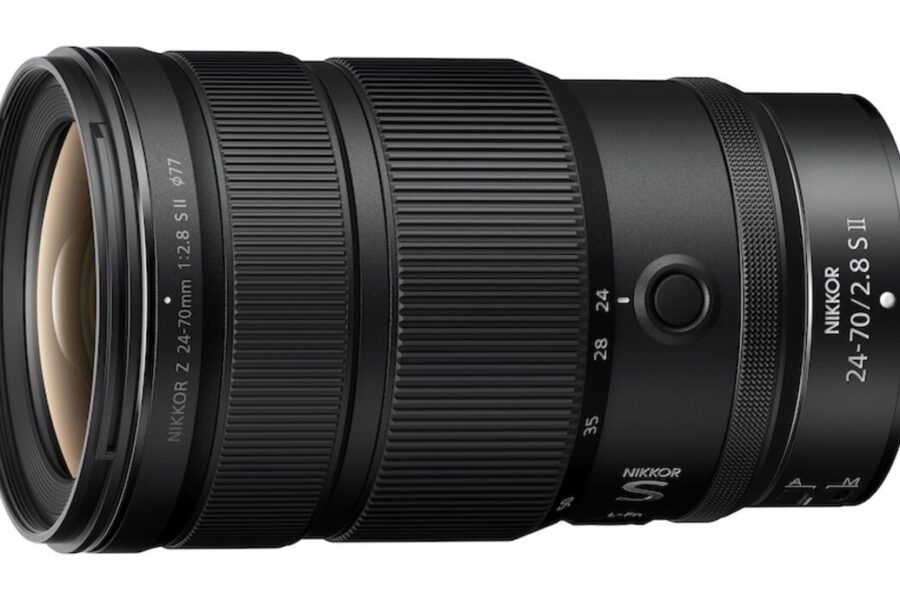
Firmware Release: Nikkor Z 24-70mm S II & 14-24mm S v1.10
Nikon has officially released new firmware updates for two of its premium f/2.8 “trinity” zoom lenses: the Nikkor Z 24-70mm f/2.8 S II and the ultra-wide Nikkor Z 14-24mm f/2.8 S. Both optics receive version 1.10 firmware, delivering mechanical refinements, acoustic improvements, and enhanced manual control integration.
Whether you rely on these lenses for high-end landscape work, event coverage, or cinematic production, keeping your glass updated ensures full compatibility with the latest Z-mount camera bodies. To read more about the development and launch specifications of the flagship standard zoom, check out our original coverage on the Nikon Nikkor Z 24-70mm f/2.8 S II lens release.
What’s New in Firmware Version 1.10?
The latest update brings targeted operational enhancements tailored to each specific optic’s aperture mechanisms and focus ring responsiveness.
NIKKOR Z 24-70mm f/2.8 S II Firmware Version 1.10
- Improved Aperture Reliability: Enhanced operational consistency during high-speed aperture stepping.
- Reduced Aperture Noise: Quieter aperture drive mechanics to minimize acoustic interference during video recording.
NIKKOR Z 14-24mm f/2.8 S Firmware Version 1.10
- Linear Focus Response: The lens now alters focus distance based strictly on the angle of focus ring rotation during manual focus, regardless of rotation speed, when a non-linear option is disabled in the camera’s [CUSTOM SETTINGS MENU].
- Ring Role Swapping: Added official support for the [Switch focus/control ring roles] setting inside supported camera custom menus.
Official Download Links: Download the firmware files directly from Nikon’s support portal:
- Download official Nikkor Z 24-70mm f/2.8 S II Firmware v1.10
- Download official Nikkor Z 14-24mm f/2.8 S Firmware v1.10
For dedicated landscape and architectural photographers utilizing the ultra-wide end, dive into our Nikkor Z 14-24mm f/2.8 S article index for reviews, sample galleries, and optical comparisons.
.bin firmware file to your camera’s formatted card root folder, attach the lens to your camera body, and launch the update from the camera menu.How to Install the Firmware Update
Updating your lenses requires installing the update through a supported Nikon Z camera body. Follow these steps:
- Download the correct firmware file (
.binformat) for your lens model from Nikon’s download center. - Format a memory card inside your Nikon Z camera.
- Copy the extracted
.binfile directly to the root folder (top directory) of the memory card using a card reader. - Ensure your camera battery is fully charged, turn off the camera, attach the target lens, and insert the memory card into Slot 1.
- Turn on the camera and go to SETUP MENU > Firmware version.
- Select Update and follow the on-screen instructions until the update completes.
- Turn off the camera, remove the card, and recheck the menu to confirm firmware version 1.10 is displayed.
Should You Update?
Yes. Video shooters using the 24-70mm f/2.8 S II will appreciate the reduced aperture actuation noise during live iris adjustments. Meanwhile, manual focus pullers and astrophotographers using the 14-24mm f/2.8 S will benefit immensely from precise linear focus rotation behavior and control ring remapping options.
If you are exploring the broader optical ecosystem or looking for additional glass to pair with your setup, check out our comprehensive Nikon Z system guide.
Price & Availability
Both f/2.8 trinity lenses are currently available with substantial instant savings. If you have been looking to complete your high-end Z-mount zoom lineup, explore current pricing and active discounts below:
To evaluate where these zoom lenses rank among top prime and telephoto options, browse our buyer guide to the best Nikon Z lenses for mirrorless shooters.
Looking for instant savings on Nikon cameras and lenses?
Check out our updated selection of Nikon Black Friday deals to find active price drops on flagship bodies and S-Line glass.
Nikkor Z 14-24mm f/2.8 S – Check Store Prices & Deals (Now $800 Off):
Summary
The firmware 1.10 releases for the Nikkor Z 24-70mm f/2.8 S II and Nikkor Z 14-24mm f/2.8 S enhance aperture noise levels and manual focus customizability for professional shooters. By maintaining quiet iris transitions and linear manual focus rotation options, Nikon continues to elevate its S-line glass for demanding video and still applications. Grab the official update files from Nikon’s support hub to upgrade your optics today.
Stay tuned for more firmware news and photography updates here on DCN.
Join the Nikon Camera Users Group to share your Nikon photography, ask and answer questions that arise and help each others!
Frequently Asked Questions (FAQ)
Q: How do I update firmware on a Nikkor Z lens?
A: Copy the downloaded lens firmware (.bin) file to the root directory of a formatted memory card, insert it into your Nikon Z camera with the lens attached, and execute the update via the camera’s Firmware Version menu.
Q: What does firmware 1.10 fix on the Nikkor Z 24-70mm f/2.8 S II?
A: Firmware 1.10 improves aperture operational reliability and reduces aperture drive noise during operation.
Q: What new features does firmware 1.10 add to the Nikkor Z 14-24mm f/2.8 S?
A: It enables linear focus ring behavior based on rotation angle during manual focus and adds support for switching focus and control ring roles via camera custom menus.