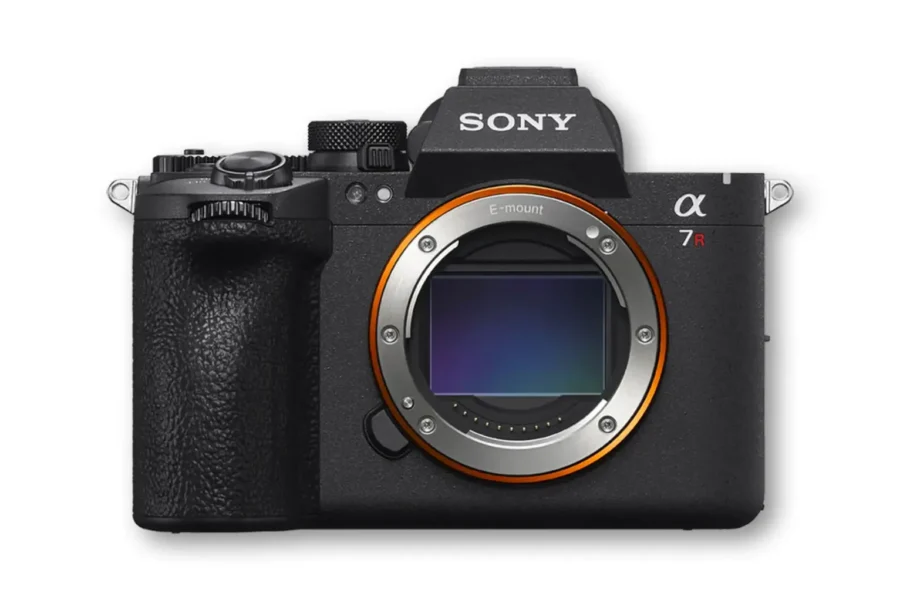
Firmware Release: Sony Alpha 7R VI v1.02
Sony has officially released a new maintenance and usability software update for its high-resolution mirrorless flagship, the Sony Alpha 7R VI. Firmware version 1.02 delivers key operational stability fixes alongside focus enhancements for non-power zoom lenses.
If you recently added this high-megapixel body to your kit, maintaining up-to-date firmware ensures your camera operates smoothly across every shoot. Check out our Sony A7R VI stock and shipping updates if you are currently shopping for this flagship resolution body.
What’s New in Sony A7R VI Firmware 1.02?
Firmware update version 1.02 focuses on resolving minor display and focus glitches while adding Preset Focus support across select non-power zoom glass.
Changelog & Feature Highlights
- Preset Focus Support: Adds support for the Preset Focus function with lenses that do not feature power zoom (certain non-power zoom models are excluded; refer to Sony’s official compatibility chart for full details).
- Monitor Behavior Fix: Resolves an issue where the camera monitor could turn on at regular intervals despite being turned off.
- Movie Mode Focus Fix: Fixes a bug where focusing operations could occasionally become unavailable when recording video set to Manual Focus (MF).
- System Stability: Improves the overall operational stability and performance of the camera.
Official Download Link: You can download the latest official firmware file directly from Sony’s support portal:
- Download official Sony Alpha 7R VI Firmware v1.02
How to Install the Firmware Update
Updating your cameras takes only a few minutes when following official Sony guidelines:
- Download the version 1.02 firmware update file directly from Sony’s support download page.
- Format a compatible CFexpress Type A or SD card in your Sony A7R VI camera.
- Transfer the downloaded update file (
BODY7M6.DAT) to the root directory (top level) of your card using a card reader. - Insert the card into Slot 1 of your camera body with a fully charged NP-FZ100 battery (at least 51% charge required).
- Navigate to MENU > Setup > Setup Option > Version and select Software Update.
- Follow the on-screen prompts and wait for the update to finish completely.
Should You Update?
Yes, updating is strongly recommended for all Sony A7R VI owners. Eliminating the movie mode manual focus freeze bug and correcting display wake cycles directly prevents operational headaches during professional assignments.
Understanding how your camera body communicates with optics is vital for high-resolution sensors. For a full breakdown of lens compatibility and mount mechanics, read our comprehensive Sony E-mount system guide.
Price & Availability
Pairing your high-resolution mirrorless camera with high-end glass allows you to make the most out of every megapixel. To help you build the ultimate kit, explore our curated list of the best Sony E-mount lenses available today.
Looking for current Sony discounts?
Check out our updated coverage on Sony Black Friday deals to find instant savings on camera bodies, prime lenses, and accessories.
Summary
The Sony Alpha 7R VI firmware update version 1.02 delivers crucial backend fixes that resolve sporadic monitor behavior, video focus lockups, and operational stability. Additionally, extending Preset Focus features to non-power zoom lenses enhances handling options for stills and hybrid shooters alike. Head over to Sony’s support hub to download and install this free release today.
Stay tuned for more firmware news and photography updates here on DCN.
Also join the Sony Camera Users Facebook Group to share your Sony photography
Frequently Asked Questions (FAQ)
Q: What does Sony Alpha 7R VI firmware version 1.02 fix?
A: Version 1.02 fixes a monitor bug where the screen turned on periodically, fixes manual focus availability issues in movie mode, improves stability, and adds Preset Focus support for non-power zoom lenses.
Q: Are all non-power zoom lenses compatible with the new Preset Focus function?
A: No, certain zoom lenses without power zoom are not supported. You can check Sony’s official support page for the exact lens compatibility list.
Q: What battery percentage is needed to install the firmware update?
A: Sony requires a fully charged NP-FZ100 battery with at least 51% remaining capacity before starting the update process.