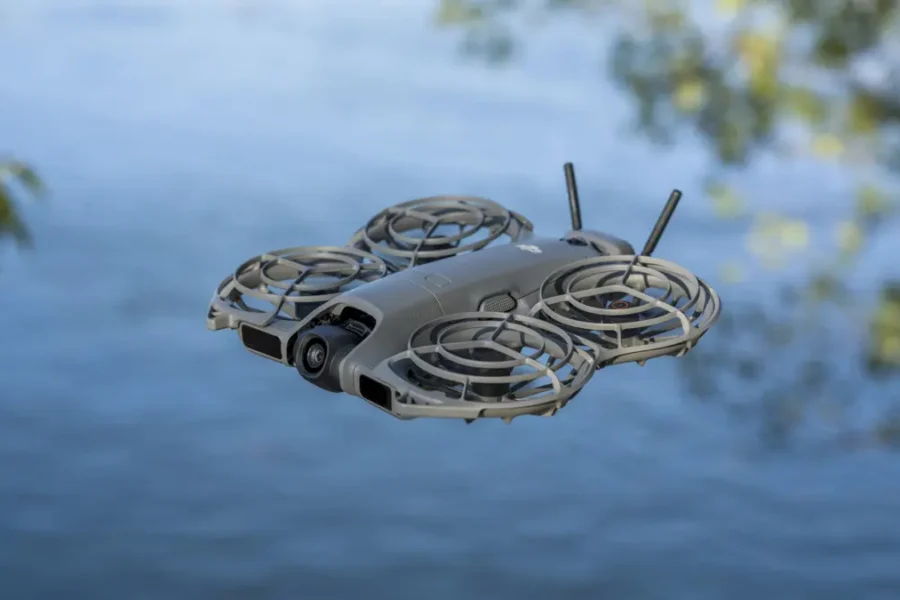
Firmware Release: DJI Batch Update (October 2026)
DJI has published a massive wave of software updates across its fleet, releasing new aircraft firmware for 13 camera drones with release notes officially dated October 20, 2026. The update covers a broad selection of popular models, ranging from flagship platforms like the Mavic 4 Pro and Air 3S to compact favorites like the Mini 3 Pro, Neo series, and entry-level models.
While twelve of the updates focus exclusively on under-the-hood stability tweaks and bug fixes, the DJI Avata 360 receives a major feature rollout. Before flying, drone pilots should make sure to update their companion app, as every single update requires DJI Fly v1.21.16 on both iOS and Android. If you are exploring broader aerial photography trends and market updates, browse our dedicated drones section.
Full Drone Firmware Breakdown (20 October 2026 Batch)
Here is the official overview of all 13 updated models, including their new aircraft firmware build numbers and the release date of their previous update package:
| Drone Model | New Aircraft Firmware (20 Oct 2026) | Previous Firmware Release Date |
|---|---|---|
| DJI Mavic 4 Pro | v01.00.0900 | 30 July 2026 |
| DJI Air 3S | v01.00.1800 | 30 July 2026 |
| DJI Air 2S | v02.04.28.00 | 11 April 2024 |
| DJI Mavic Air 2 | v01.01.18.00 | 11 April 2024 |
| DJI Mini 3 Pro | v01.00.1000 | 23 July 2024 |
| DJI Mini 2 | v01.07.0300 | 28 March 2023 |
| DJI Flip | v01.00.1500 | 4 August 2026 |
| DJI Neo | v01.00.0500 | 6 November 2024 |
| DJI Neo 2 | v01.00.0800 | 23 June 2026 |
| DJI Avata | v01.06.0000 | 28 December 2023 |
| DJI Avata 360 | v01.00.0800 | 1 September 2026 |
| DJI Lito X1 | v01.00.0500 | 30 July 2026 |
| DJI Lito 1 | v01.00.0400 | 30 July 2026 |
Most of these drone packages also include companion remote controller firmware updates. For instance, the DJI RC 2 has been updated to version v10.00.0900 for the Mavic 4 Pro, Air 3S, Flip, Neo, Neo 2, Avata 360, Lito X1, and Lito 1. In addition, the Neo, Neo 2, Avata, and Avata 360 notes include updated FPV goggles firmware. For details refer to DJI download centre.
What’s New for the DJI Avata 360?
The DJI Avata 360 stands out as the only drone in this release batch receiving significant new functionality. According to DJI’s official release notes, aircraft firmware version v01.00.0800 introduces several key tools:
- Waypoint Flight: Plan automated flight paths directly within the flight interface.
- FocusTrack Zoom: Zoom capabilities added when using FocusTrack subject tracking.
- DJI RC Pro 2 Support: Complete compatibility added for flying with the flagship RC Pro 2 remote controller.
- Vision Assist Auto-Orientation: Automatic display orientation switching within the Vision Assist view.
If you intend to pilot the Avata 360 using an RC Pro 2 controller, ensure you update the transmitter as well. Firmware version v01.00.0900 for the DJI RC Pro 2 adds official support for the Avata 360.
Drones Excluded From This Update Batch
It is worth noting that several current and legacy DJI models were not included in this October 20 release window. The Mini 4 Pro (last updated November 2025), Mini 3, Air 3, Mavic 3 Pro, and Avata 2 did not receive new firmware builds. Meanwhile, the sub-249g Mini 5 Pro received its own distinct update (v01.00.0800) earlier in the month.
As manufacturers navigate evolving global compliance and component guidelines, tracking drone regulations remains essential for creators. For a detailed breakdown on regulatory policy shifts, read our guide on the DJI FCC covered list and drone ban rules.
Critical Warnings Before You Update
Check Your Flight Settings After Updating!
- Camera Settings Reset: On the Mavic 4 Pro, Flip, Lito X1, and Lito 1, camera settings will revert to default after the update. Make sure to reconfigure your resolution, frame rates, and color profiles in DJI Fly before shooting.
- RTH Altitude & Distance Reset: For the Neo, Neo 2, Avata, and Avata 360, the firmware update may reset safety parameters. Always verify your Return-to-Home (RTH) altitude and maximum flight distance limits before taking off.
- If an Update Fails: Restart the aircraft, remote controller (and goggles, if connected), and the DJI Fly app or DJI Assistant 2 desktop utility, then retry the download.
If you plan on taking your drone on commercial flights or vacations, traveling with lithium-ion batteries requires strict adherence to airline rules. Review our guide on airline drone and camera gear carrying rules to avoid hassle at airport security.
Should You Update?
Yes. Even though 12 of these updates are maintenance-focused bug fixes, applying them ensures optimal transmission stability and flight safety. Furthermore, seeing updates for legacy drones like the Mini 2, Avata, and Mavic Air 2 demonstrates welcome ongoing software support from DJI.
Looking ahead to future drone releases and lightweight sub-249g developments? Check out our rumor roundup on the upcoming DJI Mini 6 Pro arrival date and specs.
Interested in immersive FPV and cinematic flight?
Explore our comprehensive Best FPV Drones Guide to discover the top cinewhoops, acrobatic setups, and FPV goggles available today.
Summary
DJI’s October 20, 2026 firmware deployment brings valuable stability patches to 13 camera drones while giving the Avata 360 major new features, including Waypoint Flight and RC Pro 2 compatibility. Pilots should update their DJI Fly app to version 1.21.16 first, install the aircraft and controller firmware on full batteries, and double-check their camera settings and RTH safety parameters before their next flight.
Stay tuned for more firmware news and photography updates here on DCN.
Frequently Asked Questions (FAQ)
Q: What DJI Fly app version is required for these updates?
A: All 13 updated drone models require DJI Fly v1.21.16 on iOS and Android.
Q: Which drone received new shooting features in the October 2026 update?
A: The DJI Avata 360 was the only drone in this batch to receive new features, adding Waypoint Flight, FocusTrack zoom, DJI RC Pro 2 support, and Vision Assist auto-orientation.
Q: Why do I need to check my camera and RTH settings after updating?
A: Certain updates reset user configurations back to factory defaults, including camera recording profiles on models like the Mavic 4 Pro and Return-to-Home (RTH) altitude safety limits on drones like the Neo and Avata series.

See More DCN on Google
Add Daily Camera News as a trusted source to see our latest camera reviews, deal alerts, and photography news first in Google Search.
Explore Recommended Gear
Looking for the best cameras, lenses, and accessories? Check out our curated, hand-picked gear lists on Amazon.