Firmware Release: OM System OM-5 II v1.1
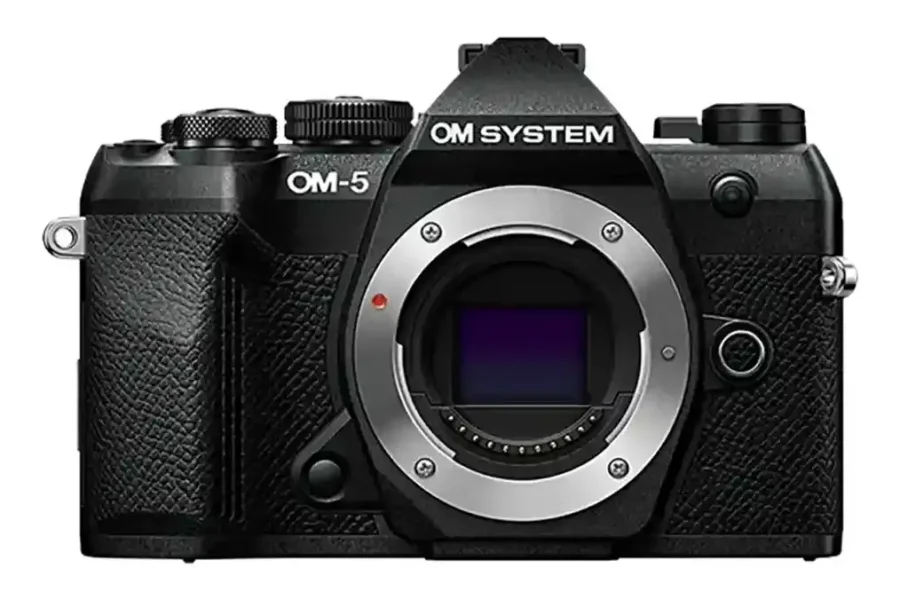
OM System has officially released a new maintenance firmware update for its compact weather-sealed Micro Four Thirds camera, the OM System OM-5 II. Firmware version 1.1, released on October 28, focuses on underlying system performance refinements to deliver a smoother overall shooting experience.
Whether you use this lightweight camera body for landscape photography, outdoor adventures, or casual travel, maintaining up-to-date camera software ensures optimum operational reliability in the field. To read more about the initial launch specifications and features of this body, check out our report on the OM System OM-5 II announcement.
What’s New in OM System OM-5 II Firmware 1.1?
The latest release is a maintenance update aimed at optimizing system responsiveness and eliminating minor software glitches during camera operation.
Changelog Highlights
- Improved Operational Stability: Enhances general camera operation stability and system performance during shooting and playback functions.
Official Download Link & Instructions: You can access the official release details and step-by-step update process directly from OM System’s support hub:
- Official OM System OM-5 II Support Page
- Official OM System Firmware Update Instructions
For more detailed updates, lens pairings, and news regarding this lightweight body, visit our dedicated OM System OM-5 Mark II index.
How to Install the Firmware Update
Updating your cameras can be performed seamlessly via smartphone or computer. Follow these general steps outlined by OM System:
Option 1: Updating via OI.Share Smartphone App
- Ensure both your smartphone and OM-5 II camera are fully charged.
- Open the OI.Share app and connect your smartphone to the camera via Wi-Fi/Bluetooth.
- Navigate to Settings > Camera Management > Update Firmware.
- Follow the on-screen prompts to download the update package. Your custom settings will be backed up automatically.
- Wait until the camera LCD screen displays “OK” before restarting the camera. Do not turn off the camera during the process.
Option 2: Updating via OM Workspace Desktop Software
- Connect your OM System OM-5 II to your computer using the bundled USB cable.
- Launch the OM Workspace software on your PC or Mac.
- Click on Camera in the top menu bar and select Update.
- Follow the on-screen prompts to allow OM Workspace to verify and transfer the firmware update.
- Wait until the camera’s LCD screen displays “OK”, safely disconnect the USB cable, and restart your camera.
Should You Update?
Yes. While firmware version 1.1 does not add new computational shooting modes or creative filters, keeping system software up to date ensures your camera operates reliably without unexpected freezes during important shooting moments.
If you are exploring the broader compact ecosystem, dive into our comprehensive OM System Micro Four Thirds guide to learn more about camera setups, computational photography tools, and lens options.
Price & Availability
The Micro Four Thirds system remains one of the top choices for outdoor enthusiasts looking for weather-sealed, compact, and highly portable gear. Explore our Micro Four Thirds section for full coverage of sensor tech, lenses, and gear comparisons.
Looking for current deals on Micro Four Thirds gear?
Check out our active roundup of Micro Four Thirds Black Friday rebates to grab instant discounts on camera bodies and compact lenses.
OM SYSTEM OM-5 Mark II – Check Store Prices & Deals (Now $150 Off):Amazon | B&H Photo ($150 Off) | Adorama
OM SYSTEM OM-1 Mark II – Check Store Prices & Deals (Now $400 Off):
Looking for compatible glass? Explore our lenses section for reviews and optical recommendations for MFT mounts.
Summary
The OM System OM-5 II firmware update version 1.1 delivers foundational software tweaks that boost operational stability for daily shooting. Whether updating via the OI.Share mobile app or OM Workspace on a computer, taking a few minutes to install v1.1 will ensure your camera continues to perform smoothly. Download the update today from OM System’s official support page.
Stay tuned for more firmware news and photography updates here on DCN.
Frequently Asked Questions (FAQ)
Q: What does OM System OM-5 II firmware version 1.1 change?
A: Firmware 1.1 focuses on improving general operational stability and overall camera system performance.
Q: Can I update the OM-5 II firmware wirelessly using my smartphone?
A: Yes, you can update the camera wirelessly using the official OM System OI.Share application for iOS and Android.
Q: Will updating the firmware reset my custom camera settings?
A: When using the OI.Share app or OM Workspace, the software automatically backs up and reloads your custom settings during the firmware update process.

See More DCN on Google
Add Daily Camera News as a trusted source to see our latest camera reviews, deal alerts, and photography news first in Google Search.
Explore Recommended Gear
Looking for the best cameras, lenses, and accessories? Check out our curated, hand-picked gear lists on Amazon.