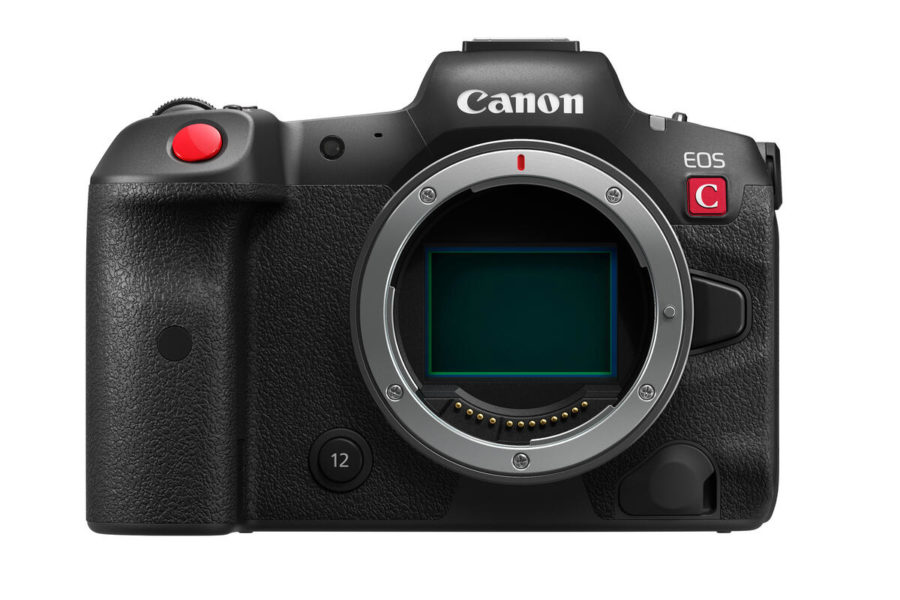
Canon has rolled out new firmware updates for its Cinema EOS lineup, including the EOS R5 C, EOS C50, EOS C70, EOS C80, and EOS C400. These updates introduce major new features such as Cinema Exposure mode, expanded Cine Servo lens compatibility, external audio output in Slow & Fast Motion, and multiple workflow refinements.
Canon EOS C80 & C400 Firmware v1.0.7.1 – Cinema Exposure Arrives
The headline addition for the EOS C80 and EOS C400 is the new Cinema Exposure mode. This feature adjusts dynamic range allocation between highlights and shadows according to ISO sensitivity, improving highlight performance above base ISO. For filmmakers working in uncontrolled lighting, this is a significant enhancement.
Both cameras also gain support for Canon’s CN30×40 IAS J/R1 RF‑mount and CN30×40 IAS J/P1 PL‑mount Cine Servo lenses. The EOS C400 adds Auto Exposure Ramping Compensation, maintaining consistent brightness during long zooms with compatible Cine Servo lenses. External audio output during Slow & Fast Motion recording is now supported via SDI, HDMI, or headphones.
Canon EOS R5 C Firmware v1.1.3.1
- Compatibility with CN30×40 Cine Servo lenses.
- Level indicator color change when orientation is level.
- Playback of RAW clips in Media mode with Lens Corrections applied.
- FTP connection stability improvements.
- USB smartphone recognition fix.
- General operational stability improvements.
Canon EOS C50 Firmware v1.0.5.1
- Compatibility with CN30×40 Cine Servo lenses.
- Improved operational stability.
Canon EOS C70 Firmware v1.1.4.1
- Compatibility with CN30×40 Cine Servo lenses.
- XC protocol display refinement for external devices.
- FTP connection stability improvements.
- General operational stability improvements.
Canon’s Cinema EOS lineup is widely available at trusted retailers. Here are some recommended links:
- Canon EOS R5 C on Amazon
- Canon EOS R5 C at B&H
- Canon EOS C50 on Amazon
- Canon EOS C50 at B&H
- Canon EOS C70 on Amazon
- Canon EOS C70 at B&H
- Canon EOS C80 on Amazon
- Canon EOS C80 at B&H
- Canon EOS C400 on Amazon
- Canon EOS C400 at B&H
How to Install the Firmware Updates
- Download the firmware file for your camera model from Canon’s official support page.
- Ensure your camera battery is fully charged before updating.
- Copy the firmware file to a formatted SD/SDHC/SDXC memory card (minimum 512MB).
- Insert the card into the camera and navigate to Setup Menu → Firmware Version → Update.
- Follow the on‑screen instructions until the update completes.
Should You Update?
Yes — these updates are recommended for all Canon Cinema EOS users. The new Cinema Exposure mode, Cine Servo lens support, audio output options, and workflow refinements make the cameras more versatile and reliable for professional production environments.
Stay tuned for more firmware news and Canon updates here on DailyCameraNews.
For those building a Canon system, check out our best Canon RF lenses roundup and explore our system guides for deeper insights.
Join the Canon Camera Users Group to share your Canon photography, ask and answer questions that arise and help each others!