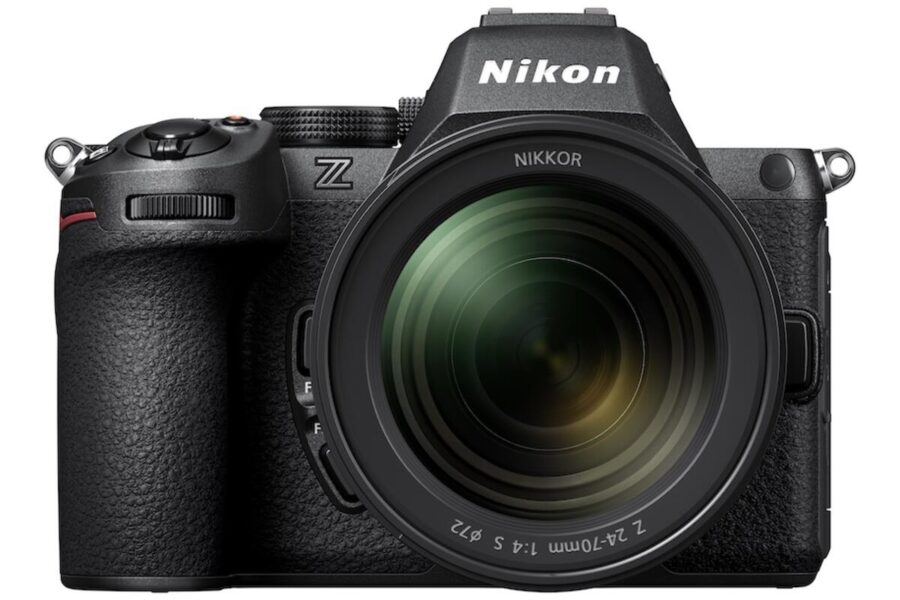
Nikon has announced new firmware updates for the Coolpix P1000 super‑zoom camera and the Z5 II full‑frame mirrorless camera. These updates bring important fixes and enhancements, improving reliability and expanding creative options for Nikon users.
Nikon Coolpix P1000 Firmware v1.9
Download Nikon Coolpix P1000 Firmware v1.9
- Fixed an issue where, in rare circumstances, the camera would stop responding when adjusting zoom during burst photography.
The Coolpix P1000 is known for its extreme zoom range, making it a favorite among wildlife and astronomy enthusiasts. This fix ensures smoother performance during continuous shooting sessions.
Nikon Z5 II Firmware v1.20
Download Nikon Z5 II Firmware v1.20
New Features & Enhancements
- Changed available shutter speed range for [ISO sensitivity settings] → [Minimum shutter speed] in the Photo Shooting Menu.
- Renamed Picture Control items:
- [Cloud Picture Control] → [Imaging Recipe]
- [Add Cloud Picture Control files] → [Download Imaging Recipes]
- Added [On saving user settings] to [Save focus position] in the Setup Menu.
- Added [Automatic monitor display switch] to the Setup Menu.
- Added [Wi‑Fi Always ON] to smart device connection settings.
- Added [Inactive connection timeout] to FTP server options.
- Aperture is no longer restricted when recording videos in mode S (Shutter‑priority auto).
Why This Update Matters
The Z5 II firmware v1.20 expands creative flexibility and improves workflow efficiency. From smarter network options to refined Picture Controls, Nikon continues to enhance usability for hybrid shooters who demand both still and video performance.
Both cameras remain popular choices in Nikon’s lineup. Check availability and deals at trusted retailers:
How to Install the Firmware Updates
- Download the firmware file for your camera model from Nikon’s support page.
- Ensure your battery is fully charged before updating.
- Copy the firmware file to a formatted memory card.
- Insert the card into the camera and navigate to Setup Menu → Firmware Version → Update.
- Follow the on‑screen instructions until the update completes.
Should You Update?
Yes — these updates are recommended for all Nikon Coolpix P1000 and Z5 II users. The fixes and new features improve reliability, expand creative options, and strengthen the cameras’ performance for both photography and video production.
Related Links
📉 Special Deal Alert
The Nikon Z5 II is currently $250 off in the US. This makes it an even more attractive option for photographers looking to step into full‑frame mirrorless shooting.
Check the deal here: Nikon Z5 II at B&H – $250 Off
Read more Nikon Camera Rumors and Nikon News.
Join the Nikon Camera Users Group to share your Nikon photography, ask and answer questions that arise and help each others!