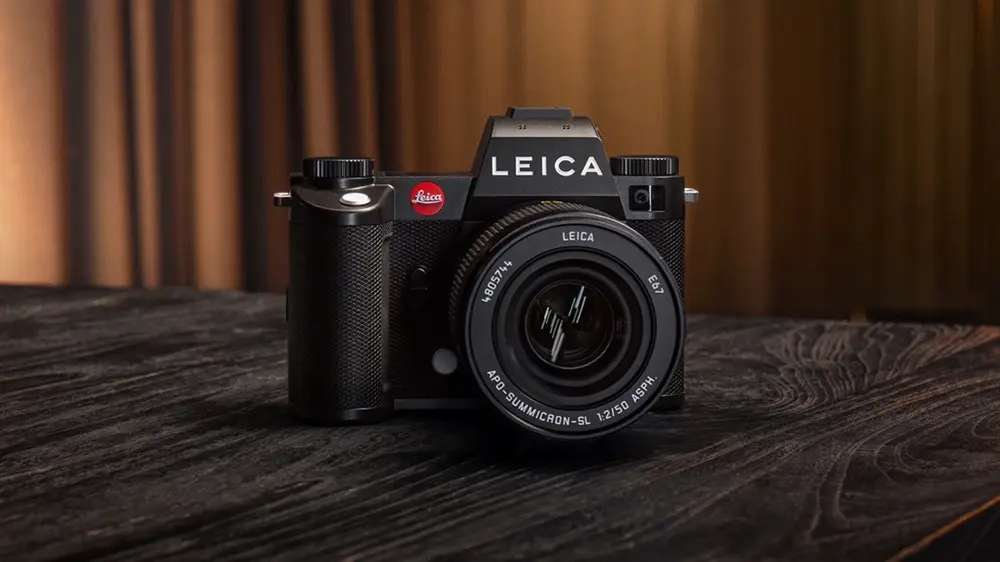
Leica has released firmware version 4.0.0 for the Leica SL3/SL3‑S and the Leica Q3 family (Q3, Q3 43, Q3 Monochrom), delivering faster autofocus, an upgraded user interface, and new workflow features. The update targets both performance and usability, elevating photo and video shooting with speed, precision, and more intuitive control.
What’s new in Leica firmware 4.0.0
Leica SL3 & SL3‑S
- Hybrid AF improvements: Faster reaction and markedly more precise detection for people and animals.
- System speed optimizations: Overall UI and operation snappier for stills and video.
- New Multishot mode (SL3): Capture full‑frame images up to 240MP for ultra‑high‑detail work.
- Cloud workflow: Direct connection to Adobe Frame.io for seamless collaboration and delivery.
Leica Q3 family (Q3, Q3 43, Q3 Monochrom)
- Revamped user interface: SL3‑inspired UI with redesigned icons, optimized structure, faster navigation, and enhanced touch.
- Autofocus upgrades: Improved AF responsiveness and accuracy for everyday shooting.
- Configurable Leica Looks: More personalized color profiles to tailor output to your style.
Official downloads: Firmware 4.0.0 for SL3/SL3‑S and Q3 models is available now from Leica’s download center. You can install via the Leica FOTOS App or by SD card using the files provided on Leica’s site. Get the firmware here.
How to install the update
- Via Leica FOTOS App: Ensure your camera battery is fully charged. Pair the camera with the Leica FOTOS App, check for available updates, and follow on‑screen instructions to install.
- Via SD card: Download the correct firmware file for your camera from the Leica site. Copy the file to a freshly formatted SD card. Insert the card, power on the camera, and start the firmware update from the camera’s menu. Do not power off during the process.
- Post‑update checks: Restart the camera, verify firmware version, and review AF and UI settings to confirm improvements.
Should you update?
Yes—especially SL3/SL3‑S users and Q3 shooters who value speed, AF precision, and streamlined UI. The SL3’s new Multishot mode alone makes this a must‑install for detail‑critical work. Q3 users benefit from a cleaner, faster interface and improved AF. If you rely on collaborative workflows, the direct Frame.io connection on SL3/SL3‑S is a significant upgrade. As always, back up settings and prepare a fully charged battery before updating.
Model coverage
- Leica Q3 firmware update version 4.0
- Leica Q3 43 firmware update version 4.0
- Leica Q3 Monochrom firmware update version 4.0
- Leica SL3 firmware update version 4.0
- Leica SL3‑S firmware update version 4.0
Stay tuned for more firmware news and photography updates here on DailyCameraNews.







