Daily Camera News

Nikon D500 Firmware Update Version 1.02 Released

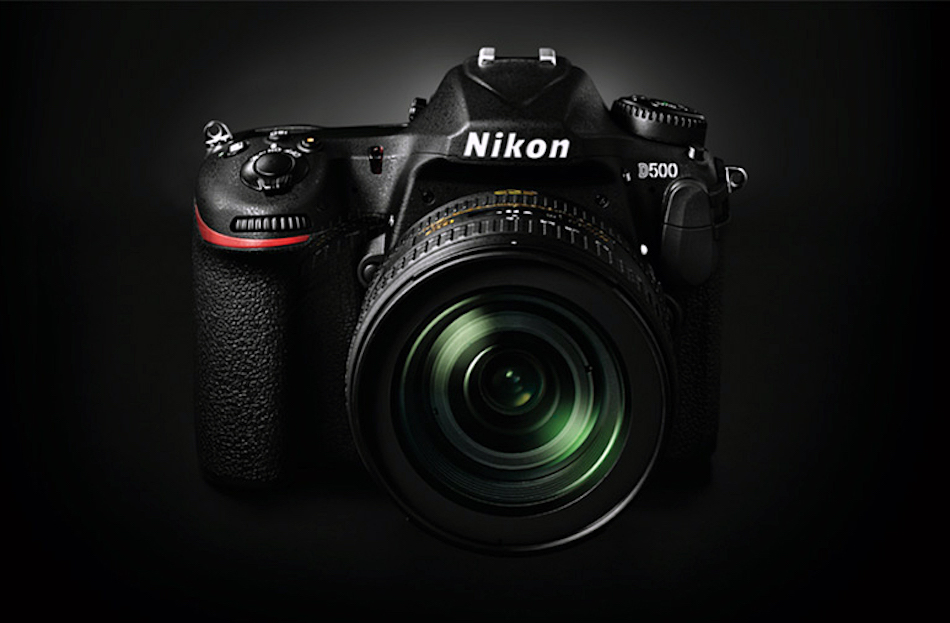
Nikon released a new firmware update for its D500 DX-format digital SLR camera with APS-c sized image sensor.

Firmware update version 1.0.2 for Nikon D500 fixes an issue that sometimes caused errors with certain UHS-II SD memory cards.

The high-end DSLR features a APS-c sized image sensor and announced back in January, 2016 and currently priced for $1,999,95. Besides the Nikon’s distortion data control version 2, this is the first firmware upgrade for the DSLR shooter.

Nikon D500 Firmware Update Version 1.02 Details

nikon-d500-firmware-1-02

Changes from “C” Firmware Version 1.01 to 1.02

  • • Addressed an issue that sometimes caused errors with certain UHS-II SD memory cards. As we were able to confirm that these were read errors arising not in the camera but in the cards themselves, we addressed the issue with a work-around that switches temporarily to UHS-I mode when a card-side error occurs in UHS-II mode. The camera switches back to UHS-II mode when turned off and then on again or when the standby timer restarts. Card-side read errors may still occur after the update, albeit very infrequently.

Download Nikon D500 Firmware C 1.02

The popular DSLR camera provides a 20.9-megapixel APS-C image sensor. The new model is powered by the new Expeed 5 image processor found in the D5.

It also has the same 153-point AF system with 99 cross-type sensor and can able to shoot continuously at 10 fps with a 200 shot buffer for Raw images. See Nikon D500 Official Announcement | User’s Manual | Sample Images | Canon 7D Mark II Comparison | Nikon D7200 vs D7100 | Reviews Roundup.

Topics: Canon, Nikon Tags: , , , ,
Avatar for Daily Camera Editor Team

Author: Daily Camera Editor Team

“Daily Camera News Team brings you the latest photography gear news, rumors, and reviews, keeping photographers updated with expert insights and hands-on advice.”
0 0 votes
Article Rating
Subscribe
Notify of
guest

This site uses Akismet to reduce spam. Learn how your comment data is processed.

1 Comment
Oldest
Newest Most Voted
Inline Feedbacks
View all comments
Mike D

I’ve tried downloading and running the software on several different WIN 7 PCs and it doesn’t RUN, period. I’ve even gone into my downloads directory and can’t get it to run there either. I did get one message that it is “not compatible.” I had no problem downloading, running, and installing the previous firmware update.

© 2025 Daily Camera News.
Daily Camera News is a participant in the Amazon Services LLC Associates Program, an affiliate advertising program designed to provide a means for sites to earn advertising fees by advertising and linking to Amazon.com.
1
0
Would love your thoughts, please comment.x
()
x






