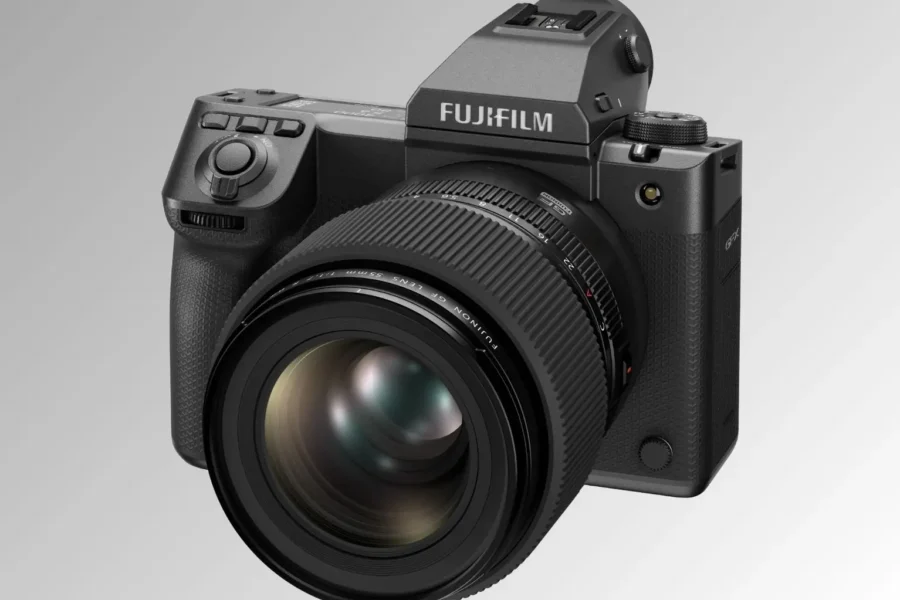
Firmware Release: Fujifilm GFX Trio
Fujifilm has officially released a new batch of software maintenance updates for three of its premier 102-megapixel large-format bodies: the flagship Fujifilm GFX100 II, the accessible Fujifilm GFX100S II, and the limited-run Fujifilm GFX100RF Fragment Edition. These updates deliver system-wide bug fixes alongside a targeted connectivity patch for mobile app pairing.
Whether you deploy these high-resolution sensors for high-end studio commercial work, fine-art landscapes, or everyday street shooting, keeping camera firmware current ensures optimal system stability. If you want to dive deeper into the expanded GFX ecosystem, explore our comprehensive Fujifilm GFX medium format system guide.
What’s New in the Latest Updates?
While the updates for the GFX100 II and GFX100S II are focused on general backend stability, the GFX100RF update addresses a specific bug that interrupted mobile wireless workflows for Fragment Edition owners.
Fujifilm GFX100S II Firmware Version 1.22
- Fixed minor operational bugs present in versions 1.20 and 1.21.
Fujifilm GFX100 II Firmware Version 2.51
- Fixed minor operational bugs present in version 2.50.
Fujifilm GFX100RF Fragment Edition Firmware Version 1.13
- Fixed an issue occurring exclusively with the GFX100RF FRAGMENT EDITION where the camera fails to reconnect to the FUJIFILM XApp if powered off and on while paired.
- Fixed other minor operational bugs.
Official Download Links: You can download the latest official firmware files directly from Fujifilm’s global support hub:
- Download official Fujifilm GFX100S II Firmware v1.22
- Download official Fujifilm GFX100 II Firmware v2.51
- Download official Fujifilm GFX100RF Firmware v1.13
For more detailed reviews, image samples, and news regarding Fujifilm’s 102-megapixel sensor lineup, check out our full Fujifilm GFX article index.
How to Install the Firmware Update
Updating your cameras takes only a few minutes. Follow these official steps provided by Fujifilm:
- Download the correct firmware file (
.DATformat) for your specific GFX camera model from Fujifilm’s download portal. - Insert an SD or CFexpress memory card into your computer via a card reader and format it.
- Copy the downloaded firmware file to the root directory (top level) of your card without placing it inside any folders.
- Insert the memory card along with a fully charged NP-W235 battery into your camera body.
- Hold down the DISP/BACK button while turning on the camera to access the update menu.
- Select Firmware Update, follow the on-screen prompts, and allow up to five minutes for completion.
- Once complete, turn off the camera, remove the card, and recheck the firmware version in the menu to confirm installation.
Should You Update?
Yes. Although version 1.22 (GFX100S II) and version 2.51 (GFX100 II) do not introduce new Film Simulations or shooting modes, applying routine stability patches prevents unexpected camera lockups during critical assignments. For owners of the GFX100RF Fragment Edition, installing version 1.13 is strongly recommended to maintain seamless smartphone connectivity via FUJIFILM XApp.
Interested in exploring wider aspect ratios or high-resolution studio setups? Visit our dedicated medium format section for full coverage of large-format digital photography.
Price & Availability
Fujifilm’s GFX system continues to redefine the accessibility of 102-megapixel large-format resolution. Check store availability and current pricing for these camera bodies below:
Looking for instant savings on Fujifilm gear?
Check out our updated selection of Fujifilm Black Friday deals to find active price drops on GFX bodies, X-Series cameras, and GF lenses.
B&H Photo |
Adorama
Fujifilm GFX100S II – Check Store Prices & Availability:
Fujifilm GFX100RF – Check Store Prices & Availability:
Pairing your large-format body with resolution-matched glass? Browse our lenses section for in-depth reviews and comparisons on Fujinon GF lenses.
Summary
Fujifilm’s latest firmware releases bring essential system maintenance to the GFX lineup, addressing minor bugs across the GFX100 II (v2.51) and GFX100S II (v1.22) while resolving an annoying XApp reconnection issue on the GFX100RF Fragment Edition (v1.13). Downloading and installing these free official updates will help keep your 102MP medium-format gear performing reliably during shoots. Head over to Fujifilm’s global support portal to update your gear today.
Stay tuned for more firmware news and photography updates here on DCN.
Frequently Asked Questions (FAQ)
Q: What is fixed in the Fujifilm GFX100RF Fragment Edition firmware version 1.13?
A: Firmware version 1.13 resolves an issue exclusive to the Fragment Edition where turning the camera off and back on broke auto-reconnection to the FUJIFILM XApp.
Q: Do the GFX100 II v2.51 and GFX100S II v1.22 updates add new features?
A: No, these are maintenance releases focused on resolving minor background operational bugs and optimizing system performance.
Q: Is it safe to update GFX medium format firmware using a computer?
A: Yes! Simply format a supported memory card, place the .DAT file in the root directory, ensure your battery is fully charged, and execute the update by holding down the DISP/BACK button while powering on the camera.

See More DCN on Google
Add Daily Camera News as a trusted source to see our latest camera reviews, deal alerts, and photography news first in Google Search.
Explore Recommended Gear
Looking for the best cameras, lenses, and accessories? Check out our curated, hand-picked gear lists on Amazon.