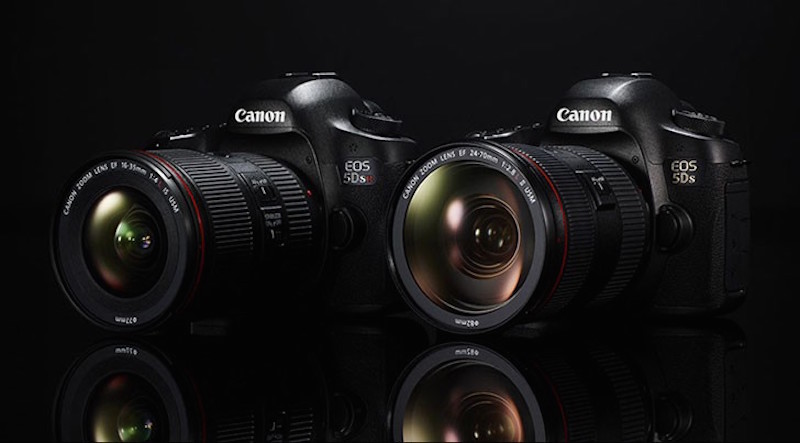
Canon has just released a new firmware update for Canon EOS 5DS and 5DS R DSLR cameras. The new firmware version 1.1.0 for these high-end cameras adds support of W-E1 Wi-Fi Adapter.
When updating the firmware of your camera, please review the instructions thoroughly before you update the firmware.
The firmware update takes approximately 6 minutes. Please note that the firmware for EOS 5DS R and EOS 5DS is different.
Canon EOS 5DS & 5DS R Firmware Version 1.1.0 Details
Firmware Version 1.1.0 incorporates the following enhancement:
- Support for the Wi-Fi Adapter W-E1 has been added.
Notes:
- The firmware cannot be updated when the Wi-Fi Adapter W-E1 is inserted into the camera.
- Once the camera is updated to Version 1.1.0, it cannot be restored to a previous firmware version (Version 1.0.1).
- EOS 5DS R cameras with Firmware Version 1.1.0 require the latest version of EOS Utility and Camera Connect.
- EOS Utility Version 3.5.0 or later can be downloaded from our Web site.
- Camera Connect 1.3.10 or later can be downloaded from App Store or Google Play.
- Versions of application software that support Firmware Version 1.1.0 of the camera
- EOS Utility Version 3.5.0 or later
- Camera Connect 1.3.10 or later
* EOS Utility is supported on the following OSes:
Windows 10 / 8.1 / 7 SP1, Mac OS X v10.9 / 10.10 / 10.11
* Camera Connect is supported on the following OSes:
iOS 8.4 / 9.3, Android 4.1-4.4 / 5.0-5.1 / 6.0
- Download the latest version of the Instruction Manual which contains information regarding the enhancements provided in this firmware update.
- Download:
Canon 5Ds Firmware v1.1.0
Canon 5Ds R Firmware v1.1.0

See More DCN on Google
Add Daily Camera News as a trusted source to see our latest camera reviews, deal alerts, and photography news first in Google Search.
Explore Recommended Gear
Looking for the best cameras, lenses, and accessories? Check out our curated, hand-picked gear lists on Amazon.