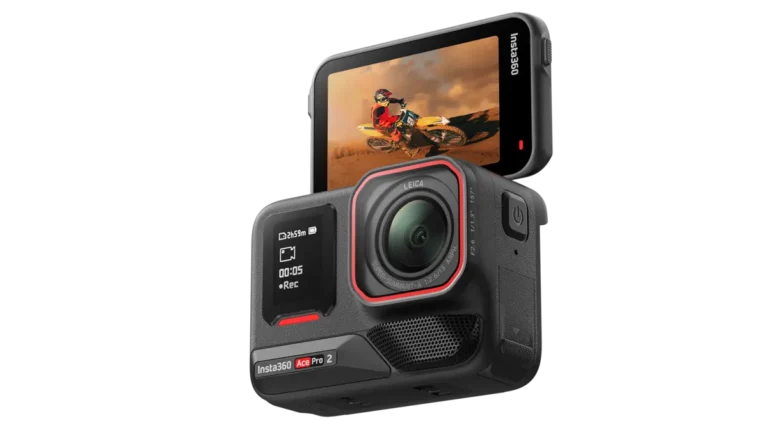
Whether you are documenting high-speed mountain biking trails, capture-heavy underwater dives, or vlogging your daily travel adventures, your choice of memory card directly impacts camera stability. High-bitrate 4K and 10-bit D-Log M footage require constant, uninterrupted write speeds. Using an underpowered memory card in a rugged action camera can lead to annoying “SD Card Speed Slow” warnings, stuttering video clips, or sudden recording shutdowns.
With recent cameras like the DJI Osmo Action 5 Pro supporting capacity sizes up to 1TB alongside built-in high-speed storage, picking the perfect microSD card ensures you max out your camera’s potential. In this comprehensive gear guide, we break down speed class requirements, maximum supported storage limits, and top-performing recommended cards across all budgets. For more gear recommendations, explore our camera gear guides, dive into DJI news and specific DJI Osmo Action updates, or browse our curated roundups for must-have photography gear, everyday photography essentials, best action cameras, and best vlogging cameras.
Quick Summary: Recommended Cards at a Glance
Here is a quick snapshot of the best microSD cards for the DJI Osmo Action series based on speed ratings, real-world reliability, and overall value:
| microSD Card Model | Speed Rating | Max Read / Write Speed | Best Used For |
|---|---|---|---|
| SanDisk Extreme PRO UHS-I | V30 / U3 / A2 | 200 MB/s Read | 140 MB/s Write | Best Overall Performance (All-weather 4K/120fps) |
| Lexar Professional Silver Plus | V30 / U3 / A2 | 205 MB/s Read | 150 MB/s Write | Best Value for High Capacity (Up to 1TB) |
| Kingston Canvas Go! Plus | V30 / U3 / A2 | 200 MB/s Read | 160 MB/s Write | DJI Officially Recommended (High reliability) |
| Samsung PRO Plus UHS-I | V30 / U3 / A2 | 180 MB/s Read | 130 MB/s Write | Best Durability & Extended Warranty |
| Lexar Gold Professional UHS-II | V60 / U3 / A1 | 280 MB/s Read | 180 MB/s Write | Best Ultra-Fast PC Offloading Speeds |
Understanding Speed Ratings: V30 vs. V60 & UHS-I vs. UHS-II
When shopping for a microSD card for your Osmo Action camera, card markings can be confusing. To ensure smooth recording without dropped frames, you must pay attention to three critical specifications:
- Video Speed Class (V30 Minimum): Action camera 4K video streams at high bitrates (up to 130Mbps or higher). You need a card with at least a V30 (Video Speed Class 30) designation, which guarantees a sustained minimum write speed of 30 MB/s. Standard Class 10 or V10 cards are too slow and will trigger error messages.
- UHS Speed Class (U3): Look for the number “3” inside a U symbol. Like V30, a U3 rating indicates a 30 MB/s minimum sustained write speed.
- Application Performance Class (A2 Recommended): While A1 cards work fine, A2 rated cards handle random read/write operations faster, making file indexing, playback reviews, and photo burst saves smoother on screen.
UHS-I vs. UHS-II Cards: The DJI Osmo Action camera line uses a single UHS-I microSD card slot. While buying a faster UHS-II card (with dual pin rows) will work seamlessly inside the camera, the camera itself operates at UHS-I transfer bus speeds. However, UHS-II cards provide much faster offloading times when dumping large video footage onto your computer via a dedicated UHS-II card reader.
Top Recommended SanDisk Extreme PRO Cards
The industry benchmark for action sports photography and high-bitrate 4K video recording:
Check SanDisk Extreme PRO on Amazon
Shop SanDisk at B&H Photo
Capacity Tip: For most creators, 256GB is the sweet spot—providing approximately 4 to 5 hours of continuous high-bitrate 4K video recording.
Top 5 Best Memory Cards for DJI Osmo Action Cameras
1. SanDisk Extreme PRO UHS-I microSDXC (V30 / A2)
The SanDisk Extreme PRO is widely considered the gold standard for action camera storage. Offering read speeds up to 200 MB/s and write speeds up to 140 MB/s, this card effortlessly handles continuous 4K/120fps recording, high-frame-rate slow motion, and 10-bit D-Log M video. It is temperature-proof, shockproof, and waterproof—making it ideal for extreme action conditions.
2. Lexar Professional Silver Plus microSDXC (V30 / A2)
Lexar’s Silver Plus series is officially recommended by DJI and offers exceptional value for high-capacity shooters. With read speeds reaching up to 205 MB/s and write speeds up to 150 MB/s, it delivers top-tier performance at a lower cost-per-gigabyte ratio than many competitors. Available in sizes up to 1TB, it is perfect for long expeditions.
3. Kingston Canvas Go! Plus microSDXC (V30 / A2)
Listed directly in DJI’s official recommended hardware documentation, the Kingston Canvas Go! Plus is known for incredible consistency and thermal stability. Delivering write speeds up to 160 MB/s, it eliminates buffer bottlenecks during high-bitrate burst photography or intense action video capture.
Search High-Speed 512GB & 1TB microSD Cards
Never run out of storage space on multi-day filming trips or travel vlogs:
Check 512GB / 1TB Cards on Amazon
Shop Memory Cards at B&H Photo
4. Samsung PRO Plus microSDXC (V30 / A2)
Samsung’s flagship PRO Plus card combines robust protection with fast write speeds up to 130 MB/s. Featuring Samsung’s 6-proof protection (water, temperature, X-ray, magnetic, drop, and wear-out protection) and a generous 10-year limited warranty, it is an outstanding option for everyday adventure content creators.
5. Lexar Professional GOLD UHS-II microSDXC (V60)
If you prioritize fast post-production workflow speeds, the Lexar Gold V60 UHS-II card is a premier choice. Delivering blazing read speeds up to 280 MB/s, it reduces your computer file transfer times by more than half compared to standard UHS-I cards.
Maximum Supported Storage Capacities by Model
Depending on which generation of the DJI Osmo Action camera you own, maximum supported card sizes vary:
- DJI Osmo Action 5 Pro: Supports up to 1TB microSD cards (Plus 47GB built-in storage).
- DJI Osmo Action 4: Supports up to 512GB microSD cards.
- DJI Osmo Action 3: Supports up to 512GB microSD cards.
- DJI Osmo Action (Original): Supports up to 256GB microSD cards.
Compare prices, multi-pack bundles, and high-speed card readers across top camera retailers:
Search Memory Cards on Amazon | Shop Memory Card Deals at B&H Photo | Browse Storage Deals at Adorama
Frequently Asked Questions (FAQ)
Frequently Asked Questions About Osmo Action Memory Cards
Q: What happens if I use a slow microSD card in my DJI Osmo Action?
A: Using a card below V30 rating may result in dropped frames, buffer freezing, “SD Card Error” warnings, or premature recording stoppage during high-bitrate 4K capture.
Q: Is 128GB or 256GB better for an action camera?
A: A 256GB card is ideal for most creators. It holds roughly 4-5 hours of 4K/60fps footage, allowing you to shoot all day without worrying about swapping cards in dirty or wet environments.
Q: Do I need a UHS-II card for my DJI Osmo Action?
A: No, UHS-I V30 cards fulfill all camera speed requirements. However, UHS-II cards will allow you to offload your video files to a computer much faster using a UHS-II card reader.