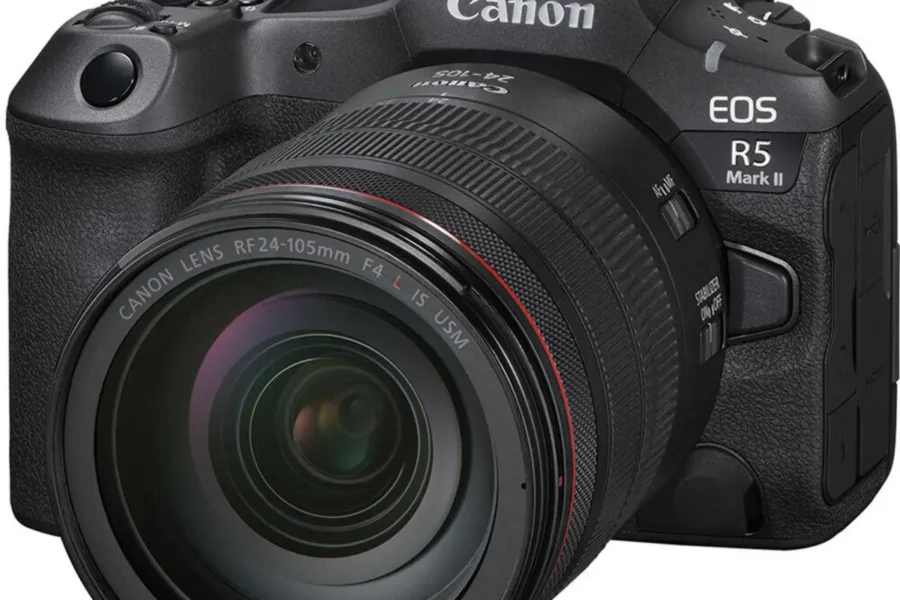
Canon has released Firmware Update Version 1.3.1 for the EOS R5 Mark II. This update fixes a critical autofocus issue and incorporates all the enhancements introduced in the previous v1.3.0 release, making the R5 Mark II even more reliable for professional workflows.
The Canon EOS R5 Mark II is a flagship mirrorless camera designed for hybrid creators, offering advanced autofocus, high‑resolution imaging, and robust video features. With firmware v1.3.1, Canon continues to refine performance for demanding shooting scenarios.
Firmware v1.3.1 Download
Download Canon EOS R5 Mark II Firmware v1.3.1 (select your OS, then scroll down to the Firmware Updates section)
What’s New in Firmware v1.3.1
- Fixed issue where the camera may stop functioning properly when Touch & Drag AF is used with [AF area] set to “Whole Area AF”.
Enhancements from Firmware v1.3.0
- Added [American Football] in [Action Priority] to optimize human subject detection for players wearing helmets and shoulder pads.
- Improved tracking and detection performance for [Register people priority] in challenging conditions (profile views, blurred faces, small subjects, children).
- Added ability to set [AF for close‑up demos] during movie recording in multiple exposure modes.
- Added [Wi‑Fi freq. band] selection (5 GHz or 2.4 GHz) in Communication Settings.
- Added [No. of connections] option in FTP transfer settings for multiple transfer threads.
- Ability to store up to four [Color temp] values in White Balance and assign switching to custom buttons.
- Added [False Color Settings] when HDR/C.Log View Assist is selected.
- Added [Pre‑continuous Shooting] assignment to custom buttons.
- Enabled transfer of AF‑related settings between cameras of the same model via [Save to card] / [Load from card].
- Electronic level display during movie recording.
- Grid display option during movie recording.
- Playback and menu screen display when outputting to two screens via HDMI.
- Group settings switch for receiver cameras via EOS Multi‑Remote app.
- Support for DPRAW shooting.
- Support for EDSDK/CCAPI developer kit.
- Bug fixes: Err49 during SFTP communication, auto power‑off during interval shooting, restart issue when deleting images, smartphone USB recognition, and more.
- Overall system stability improvements.
Why This Update Matters
Firmware v1.3.1 ensures autofocus reliability and integrates workflow enhancements for both stills and video. From sports detection to FTP transfer flexibility, Canon continues to strengthen the EOS R5 Mark II as a professional tool for hybrid creators.
The Canon EOS R5 Mark II is available now at trusted retailers:
How to Install the Firmware Update
- Download the firmware file from Canon’s support page.
- Ensure your camera battery is fully charged before updating.
- Copy the firmware file to a formatted memory card.
- Insert the card into the EOS R5 Mark II and navigate to Setup Menu → Firmware Version → Update.
- Follow the on‑screen instructions until the update completes.
Should You Update?
Yes — this update is recommended for all EOS R5 Mark II users. The autofocus fix and workflow enhancements improve reliability, making the camera more effective for professional photography and video production.
Related Links
Stay tuned for more firmware news and Canon updates here on DailyCameraNews.
For those building a Canon system, check out our best Canon RF lenses roundup and explore our system guides for deeper insights.
Join the Canon Camera Users Group to share your Canon photography, ask and answer questions that arise and help each others!

See More DCN on Google
Add Daily Camera News as a trusted source to see our latest camera reviews, deal alerts, and photography news first in Google Search.
Explore Recommended Gear
Looking for the best cameras, lenses, and accessories? Check out our curated, hand-picked gear lists on Amazon.