Nikon has officially released new firmware updates for two of its most talked‑about Full Frame Cameras, Nikon Z, Nikon ZR: the Nikon ZR and the flagship Nikon Z9. While these updates may appear incremental, they deliver meaningful refinements for video shooters, content creators, and professionals who rely on consistent autofocus performance and workflow‑friendly tools.
The ZR firmware update v1.10 focuses heavily on video recording enhancements, monitoring tools, and improved connectivity. Meanwhile, the Z9 firmware update v5.31 addresses a specific autofocus tracking issue that could impact both photographers and videographers. Together, these updates reinforce Nikon’s ongoing commitment to refining the Z‑mount ecosystem through continuous firmware development.
Nikon ZR Firmware Update Version 1.10 — What’s New
The ZR receives a surprisingly robust set of improvements for a “minor” update, especially for filmmakers and hybrid creators.
🎥 Video Recording Enhancements
- Extended maximum recording time for single‑session video capture, allowing longer takes without interruption.
- Highlight warning indicators now appear in histogram and waveform displays when shooting in R3D NE 12‑bit (R3D), helping creators avoid clipped highlights.
- R3D NE 12‑bit (R3D) can now be selected even in Auto mode. The camera automatically switches to M mode for proper exposure control.
- New Video File Naming options add reel numbers, clip numbers, and recording dates for improved media management.
- LTC signal input added to the Timecode menu, enabling timecode sync via external generators connected to the mic/line input.
🎛 Controls & Workflow Improvements
- Increased the number of importable LUT files to 50 in [LUT view assist settings].
- CUBE files beginning with a period (“.”) are now hidden for cleaner file selection.
🖥 Display & Power Management
- New Power‑on lamp energy saver option added to the Setup Menu, allowing users to keep the lamp lit or disable it for low‑visibility environments.
🌐 Network & Connectivity
- Updated guidance text for Nikon Imaging Cloud connections (procedure unchanged).
🔧 Other Fixes
- Resolved an issue where audio noise could occur during USB live streaming.
Download the Nikon ZR v1.10 firmware here: Nikon ZR Firmware v1.10
Nikon Z9 Firmware Update Version 5.31 — What’s New
The Nikon Z9 receives a targeted but important fix aimed at improving subject‑tracking reliability.
- Fixed an issue where the focus point could drift away from the subject immediately after tracking began when using 3D‑tracking in photo mode or Subject‑tracking AF in video mode.
This correction ensures more dependable autofocus behavior, especially in fast‑moving or unpredictable shooting environments—one of the Z9’s core strengths.
Download the Nikon Z9 v5.31 firmware here: Nikon Z9 Firmware v5.31
How to Install Nikon Firmware Updates
- Download the firmware file for your camera model from Nikon’s official support page.
- Format a memory card in the camera.
- Copy the firmware file to the root directory of the card.
- Insert the card into the camera and navigate to Setup Menu → Firmware Version → Update.
- Follow the on‑screen instructions until the update completes.
Tip: Always use a fully charged battery or AC adapter to avoid interruptions during the update.
Should You Update?
Yes — both updates are recommended. The ZR gains meaningful video‑centric improvements, expanded monitoring tools, and better workflow options. The Z9 update, while small, addresses a critical autofocus behavior that professionals depend on. Keeping firmware current ensures your Nikon system performs reliably and remains compatible with future accessories and software.
Stay tuned for more Nikon News and photography updates here on DailyCameraNews or dive into our Nikon Z System Guide and Best Nikon Mirrorless Cameras 2025 to prepare your kit strategy, and follow all developments via Nikon rumors.
Join the Nikon Camera Users Group to share your Nikon photography, ask and answer questions that arise and help each others

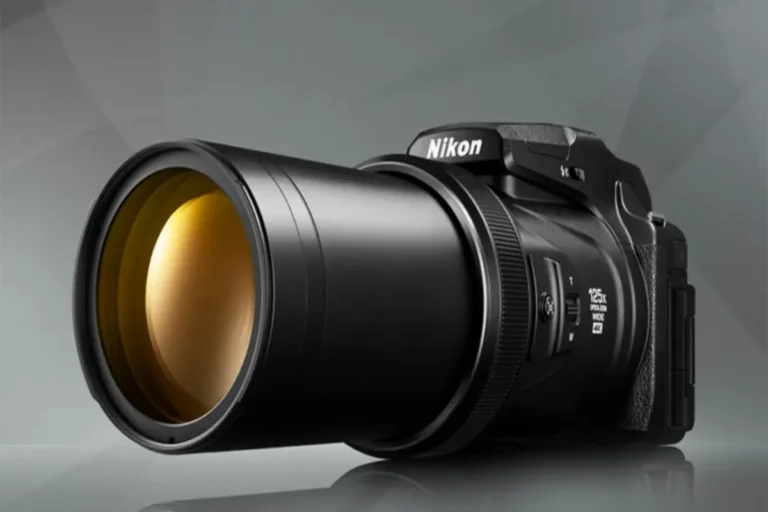






Z9 autofocus is still off after update to firmware 5.31. Precise focus with 800mm f 6.3 is not precise as it was with 5.2 from the factory.