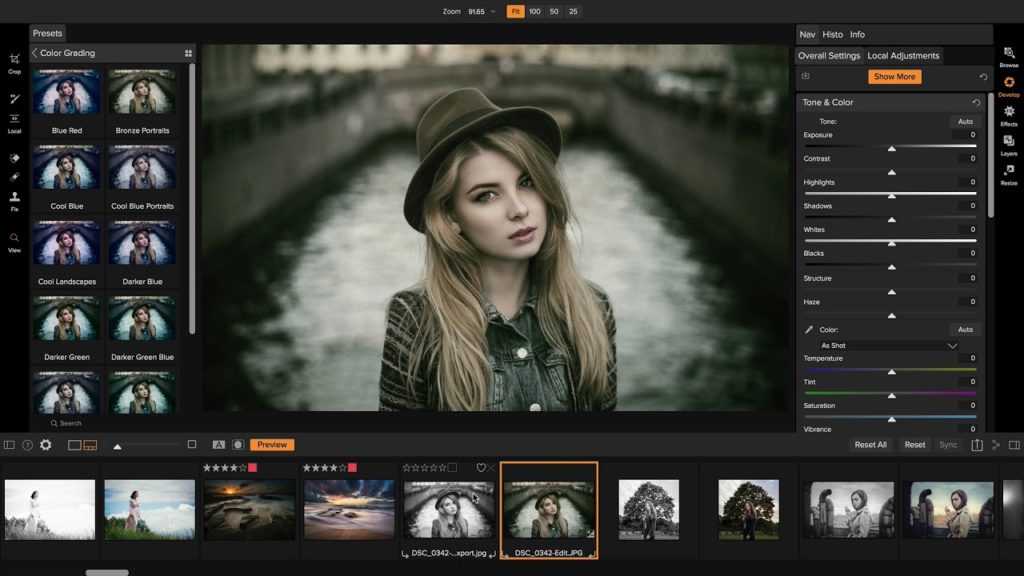
ON1 Photo RAW 2018.1 is the first major free update to Photo RAW 2018, a photo editor designed by photographers for photographers.
ON1 Photo RAW 2018 is a serious alternative to Adobe Lightroom just like the Skylum Luminar 2018.
With version 2018.1, RAW editing software include image quality enhancements, performance improvements, and key features to optimize the photographer’s workflow.
ON1 Photo RAW 2018.1 Update Released
NEW IMPROVEMENTS
- Debayering – The algorithms have been improved to increase the amount of micro detail while reducing aliasing, yielding photos that are noticeably crisper with less color artifacts.
- HDR – HDR alignment and deghosting have improved, yielding sharper results with less ghosting, noise, and color fringe. Users now have the ability to select which frame is used for deghosting and can also adjust the amount of motion visible in water and clouds.
- Faster Cataloging – The thumbnail and preview generation of images is now faster. Searching photos has also been improved.
- Noise reduction – Improvements to reduce large noise from very high ISOs. Automatic hot-pixel removal has been added, and green and purple color aberration reduction has improved.
- Sharpening – The sharpening algorithms have been improved to enhance micro details and provide sharper initial results.
- Panorama – The panorama merge dialog now does a better job with vertical panoramas as well as really large ones. It can now stitch together up to 25 photos at a time. Blending of photos to compensate for differences in exposure and white balance have been improved.
- Preview Quality – The preview window has been improved to more accurately reflect the details and sharpness in photos at different zoom levels.
NEW FEATURES
- NEW Import – Get photos from your camera to your computer, choose where you want the photos to go, assign metadata, and more.
- NEW Tethered Shooting – Get your photos to your computer instantly and apply import settings. Currently supports Canon and Nikon.
- NEW Soft Proofing – Simulate what your photo will look like when it’s printed.
- NEW Metadata Templates – Add metadata to a group of photos using presets. This allows you to choose and save only the information you want applied to your photos.
- NEW Video Browsing & Organizing – Now supports viewing video files so you can organize those as well. Copy, move, name, add metadata, and more.
- NEW Custom Sorting – This option in Browse allows you to put your photos in any order you choose.
- NEW Batch Rename – Rename all of your photos in a batch to add unique information to filenames.
- NEW Edit Capture Date – Adjust date and time on your photos so they match the actual date and time they were taken.
- NEW Auto Advance – Automatically switch to the next photo during the culling process when rating or tagging photos.
- Additional Camera & Lens Support — Added support for several new cameras and many new lenses. See the full list here.







