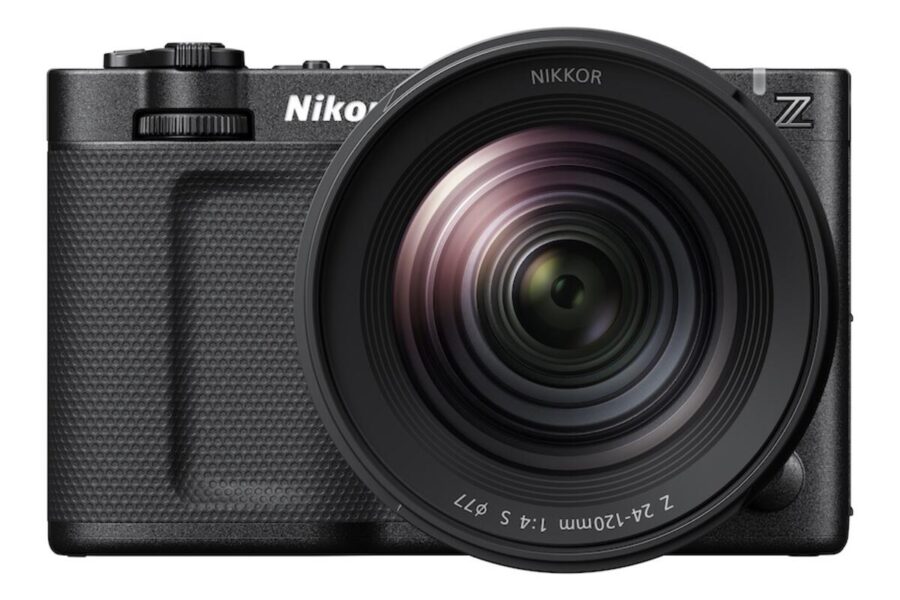
Firmware Release: Nikon ZR v2.00 (Available Now)
Nikon has officially released the highly anticipated Nikon ZR firmware update version 2.00, upgrading the full-frame Z CINEMA camera from version 1.11 to 2.00. Following its initial development announcement earlier this month, the free update is now live on the Nikon Download Center and brings major video recording, color science, and operational enhancements to filmmakers.
Headlining the release is support for RED’s Log3G10 gamma when recording in compact H.265 10-bit files, alongside HDMI 3D LUT output and expanded custom dial assignments. To revisit our breakdown of when Nikon first previewed these features, read our earlier report on the Nikon ZR firmware version 2.00 announcement.
What’s New in Nikon ZR Firmware 2.00?
Firmware version 2.00 introduces substantial upgrades across video codecs, monitoring tools, custom button layouts, and menu terminology. Note that due to the addition of new menu items, some Custom Settings menu numbers have been renumbered.
Video Recording
- Log3G10 in H.265 10-bit: Added [Log3G10] to the tone mode options when video file type is set to [H.265 10-bit (MOV)], bringing REDWideGamutRGB color science to smaller file sizes.
- HDMI 3D LUT Output: 3D LUTs can now be applied directly to video output via HDMI for accurate external client and director monitoring.
- Focus Peaking with 3D LUTs: Focus peaking is now available even when 3D LUT previewing is switched ON.
- Reduced Shadow Noise: Improved processing reduces noise and frame-by-frame black level flicker in dark areas of video footage.
- High ISO Noise Reduction in Log: [High ISO NR] is now selectable when shooting in [N-Log] tone mode with [H.265 10-bit (MOV)] or [ProRes 422 HQ 10-bit (MOV)] file types (as well as H.265/Log3G10).
- Picture Control Renaming: [Cloud Picture Control] has been renamed to [Imaging Recipe], and [Add Cloud Picture Control files] under [Set Picture Control] in the [VIDEO RECORDING MENU] is now [Download Imaging Recipes].
Still Photography
- Picture Control Renaming: [Cloud Picture Control] has been renamed to [Imaging Recipe], and [Add Cloud Picture Control files] under [Set Picture Control] in the [PHOTO SHOOTING MENU] is now [Download Imaging Recipes].
Controls & Customization
- Easy ISO Added: Added b4 [Easy ISO] to the [CUSTOM SETTINGS MENU].
- Expanded Command Dial Assignments: Exposure compensation, ISO sensitivity, white balance, and color temperature can now be mapped directly to the command dials in Mode M via [Command dials] > [Exposure setting] under f2 [Custom controls (shooting)] and g2 [Custom controls].
- 3D LUT / View Assist Shortcut: Added [3D LUT/View assist] as an assignable button role in g2 [Custom controls].
- Easy Exposure Compensation: Added g12 [Easy exposure compensation] to the Custom Settings menu.
Other Changes & Bug Fixes
- Menu Terminology Update: [Save] in [SETUP MENU] > [Manage user settings] has been renamed to [Edit].
- Portrait Live-View Touch Fix: Fixed an issue where touch-control scrolling was not smooth when live view was zoomed in with the camera held in tall (vertical) orientation and [Auto-rotate pictures] set to OFF.
Official Download Link: You can download the official Nikon ZR firmware version 2.00 package (along with the Supplementary Firmware Update Manual) directly from Nikon’s Download Center:
- Download official Nikon ZR Firmware Update v2.00
How to Install the Firmware Update
Updating your Nikon ZR cameras from version 1.11 to 2.00 requires a computer, a card reader, and a memory card. Follow these official steps:
- Download the firmware update package (
.binfile) from the official Nikon Download Center link above. - Format a compatible CFexpress Type B or SD memory card inside your Nikon ZR camera.
- Connect the memory card to your computer via a card reader and copy the extracted
.binfirmware file directly to the root (top-most) directory of the card—do not place it inside any subfolder. - Ensure your EN-EL15c battery is fully charged (or connect USB-C power), insert the memory card into the camera, and turn the camera on.
- Open the menu, navigate to [SETUP MENU] > [Firmware version], and select [Update].
- Follow the on-screen instructions and wait until the camera confirms the installation is complete before turning off the power.
Should You Update?
Yes, without question. Firmware 2.00 transforms the Nikon ZR’s daily usability for both solo creators and multi-camera crews. Being able to shoot Log3G10 in compact 10-bit H.265 files saves massive storage space without sacrificing RED color-grading latitude, while HDMI 3D LUT output and focus peaking with active LUTs eliminate major monitoring headaches on set.
Price & Availability
Firmware version 2.00 is available now as a completely free download for all Nikon ZR owners. If you are shopping for a Nikon ZR kit or looking to pair it with Z-mount glass, Nikon ZR lens combos are now up to $800 off at B&H Photo.
For even more seasonal price drops across camera bodies and accessories, browse our Black Friday Camera Deals 2026 (Main Hub), or check out our dedicated roundup of Nikon Black Friday deals.
Looking for glass to pair with your Nikon ZR?
Explore steep holiday discounts across Z-mount, E-mount, RF-mount, and third-party optics in our Best Black Friday Lens Deals guide.
Nikon ZR Full-Frame Cinema Camera – Check Store Prices & Availability:
Looking for more optical reviews and lens comparisons? Visit our lenses and Nikon sections for full gear coverage.
Summary
Nikon ZR firmware update version 2.00 is officially available to download, delivering a major feature upgrade for Z CINEMA creators. With Log3G10 gamma added to H.265 10-bit recording, HDMI 3D LUT output, focus peaking while previewing LUTs, reduced shadow noise, and expanded command dial controls, version 2.00 significantly boosts on-set efficiency. Download the update from the Nikon Download Center today to unlock these new tools.
Stay tuned for more firmware news and photography updates here on DCN.
Frequently Asked Questions (FAQ)
Q: Is Nikon ZR firmware update version 2.00 available to download now?
A: Yes, Nikon has officially released firmware C:Ver.2.00 (updating from Ver. 1.11) for free download on the Nikon Download Center.
Q: What are the biggest new features in Nikon ZR firmware 2.00?
A: Key additions include Log3G10 gamma support in H.265 10-bit (MOV) recording, 3D LUT output over HDMI, focus peaking while 3D LUT is enabled, reduced shadow noise, High ISO NR options in Log modes, and expanded command dial and Fn button customization.
Q: Why did my Custom Settings menu numbers change after updating to v2.00?
A: Because Nikon added new menu options—such as b4 [Easy ISO] and g12 [Easy exposure compensation]—several subsequent Custom Settings items were renumbered.

See More DCN on Google
Add Daily Camera News as a trusted source to see our latest camera reviews, deal alerts, and photography news first in Google Search.
Explore Recommended Gear
Looking for the best cameras, lenses, and accessories? Check out our curated, hand-picked gear lists on Amazon.