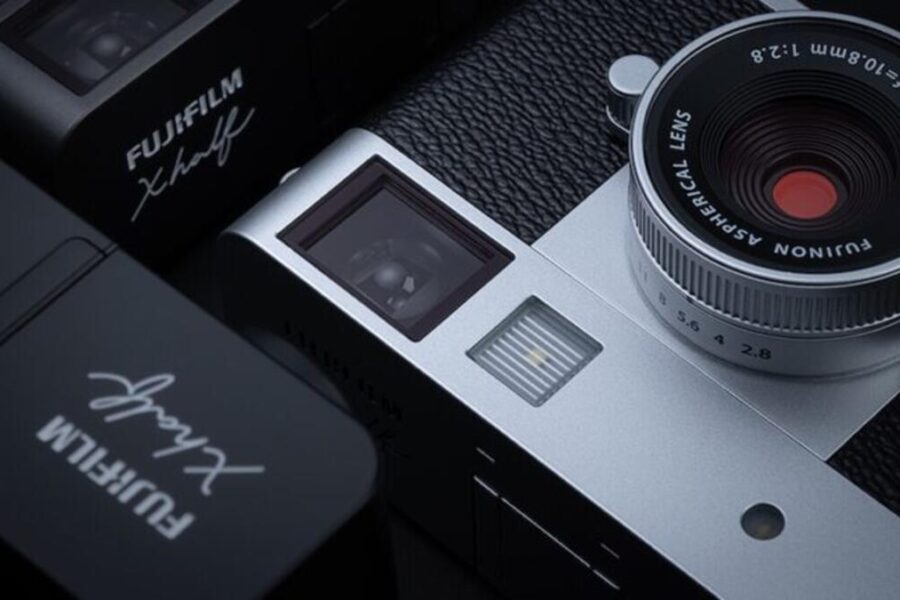
Firmware Release: Fujifilm X half v2.00
Fujifilm has officially released a major feature and performance update for its half-frame film-inspired compact digital camera, the Fujifilm X half. Firmware version 2.00 brings creative additions, expands film-simulation shooting flexibility, and directly addresses the primary performance bottlenecks reported by creators at launch.
If you enjoy the tactile, deliberate approach of shooting with this unique compact, keeping your body updated ensures a smoother and more responsive experience. Whether you want faster autofocus or new creative options, here is a complete breakdown of what is included in the new firmware update for the Fujifilm X half.
What’s New in Fujifilm X half Firmware 2.00?
Firmware version 2.00 focuses on enhancing the camera’s creative capabilities while significantly improving operational responsiveness during daily use.
Key Features & Changelog Highlights
- New SOFT GLOW Filter: Added to image quality settings to soften tone highlights and produce a dreamlike glow similar to a diffusion filter or vintage lens.
- Expanded Film Camera Mode: Added 12-frame and 24-frame roll options alongside the original 36-frame setting for quicker turnover and shorter shooting walks.
- Faster Startup Time: Improved system startup speed so you can power on and capture moments faster.
- Reduced Autofocus Lag: Enhanced AF tracking and speed, specifically in low-light environments and when shifting focus points between consecutive exposures.
- Shorter Shot-to-Shot Delay: Decreased processing lag between continuous shots for a more fluid shooting cadence.
- Bug Fixes: Minor operational fixes and stability tweaks.
Official Download Link: You can download the latest official firmware file directly from Fujifilm’s official support hub:
- Download official Fujifilm X half Firmware v2.00
How to Install the Firmware Update
Updating your cameras is quick and straightforward. Follow these official steps provided by Fujifilm:
- Download the version 2.00 firmware file directly from Fujifilm’s download page.
- Insert a supported memory card into your computer using a card reader and format it.
- Copy the downloaded firmware file to the top-level (root directory) of your formatted card without placing it inside any folders.
- Insert the card along with a fully charged battery into your Fujifilm X half.
- Hold down the DISP/BACK button while turning on the camera to open the update menu.
- Select Firmware Update, follow the on-screen prompts, and allow up to five minutes for the process to complete.
- Turn off the camera once finished, remove the card, and recheck the menu to confirm your version shows 2.00.
Should You Update?
Absoutely. Firmware 2.00 directly addresses initial launch feedback regarding autofocus delay, startup speed, and shot-to-shot intervals. Combined with the new Soft Glow filter and flexible roll lengths, updating your X half elevates both performance and shooting pleasure without costing anything.
Price & Availability
If you have been eyeing the Fujifilm X half or looking to add one to your bag, now is a great time to grab one. Be sure to check out our detailed guide on the recent Fujifilm X half camera deal for full discount details.
Interested in pairing your gear with compact glass? Explore our lenses section for reviews, gear guides, and comparisons.
Summary
Fujifilm’s continuous firmware support shines with release 2.00 for the X half. By addressing startup latency, autofocus lag, and shot-to-shot delays, Fujifilm has resolved key usability concerns while expanding creative choices with the Soft Glow filter and new 12/24-exposure film roll settings. Download and install update 2.00 today to enjoy a faster and more refined half-frame digital experience.
Stay tuned for more firmware news and photography updates here on DCN.
Also join the Fujifilm Camera Users Facebook Group to share your Fujifilm photography.
Frequently Asked Questions (FAQ)
Q: What does the Fujifilm X half firmware version 2.00 add?
A: Firmware 2.00 introduces a new Soft Glow filter, adds 12- and 24-frame options to Film Camera mode, speeds up startup time, reduces AF lag, and shortens the shot-to-shot interval.
Q: Can I update directly to Firmware 2.00 from any earlier firmware version?
A: Yes, you can update directly to version 2.00 regardless of the current firmware version installed on your camera.
Q: Is the Fujifilm X half firmware update free?
A: Yes, all official Fujifilm camera firmware updates are available completely free from Fujifilm’s support page.