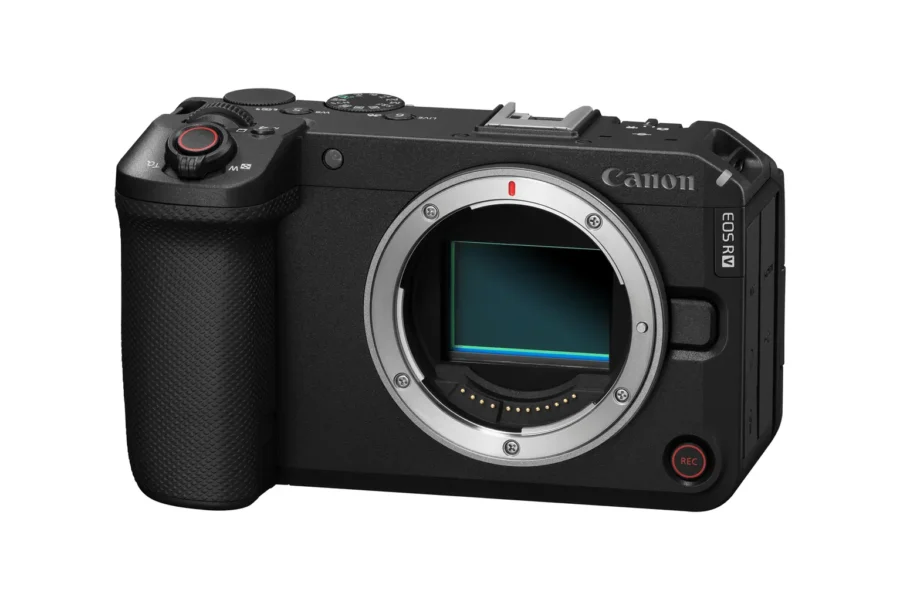
For video creators, solo vloggers, and hybrid shooters relying on the video-centric Canon EOS R6 V, absolute reliability during continuous 4K recording and high-speed burst capture is essential. Canon has officially published Firmware Version 1.1.2, which resolves an operational bug where card writing tasks could stall or fail to finalize.
While minor maintenance patches do not alter core menu layouts or add new autofocus modes, ensuring that image and video data writes cleanly to your SD cards is critical to avoiding lost clips or buffer lockups. Below is our comprehensive overview of the update, official Canon download links, and a step-by-step installation walkthrough. For deeper insights into Canon’s video and mirrorless ecosystem, explore our dedicated Canon EOS R6 V news hub and read our complete Canon EOS R system guide.
Quick Summary: Firmware Version 1.1.2 Release Details
Here is a quick snapshot of the official release information for Firmware Version 1.1.2:
| Firmware Parameter | Official Canon Release Details |
|---|---|
| Target Camera Model | Canon EOS R6 V Full-Frame Content Creation Camera |
| Firmware Version | Version 1.1.2 |
| Primary Fix | Fixes an issue where image recording to the card may not complete. |
| Official Support Page | Canon Official EOS R6 V Firmware Download Portal |
| Update Priority | High Priority (Recommended for all active EOS R6 V users) |
1. Why Installing Firmware Update 1.1.2 Is Crucial
Whether you are capturing high-bitrate 4K video clips or shooting burst photography, buffer data must write to media without interruption. When recording processes fail to close cleanly on a memory card, it can result in frozen camera interfaces or corrupted file headers.
Firmware Version 1.1.2 addresses the underlying memory writing handshake routines, ensuring that every image or video file is finalized and safely saved to the card. Upgrading to this release eliminates card-writing hangs during demanding field shoots.
Search High-Speed UHS-II SD Cards for EOS R6 V
Maximize your recording reliability with fast, verified V60 and V90 SDXC memory cards:
Check Fast SD Cards on Amazon
Shop Memory at B&H Photo
Pre-Update Safety Tip: Ensure your LP-E6 battery displays a 100% full charge level or connect an AC adapter before launching the firmware update procedure to prevent unexpected shut-offs during installation!
2. Official Download Link & Version Check
Canon strongly recommends that all EOS R6 V owners download and install Firmware Version 1.1.2 from their regional support center:
- Official Download Link: Canon Support Center (EOS R6 V Firmware 1.1.2)
To check your current camera firmware version, switch the camera ON, press the MENU button, navigate to the Setup (Yellow Wrench) Tab, and scroll down to Firmware Ver. If your camera screen already displays Ver. 1.1.2, your device is fully up to date.
Search Canon Power & Video Rig Accessories
Keep your Canon EOS R6 V supplied with high-capacity LP-E6 battery cells and video grips:
3. Step-by-Step Firmware Update Guide
Installing Firmware Update Version 1.1.2 on your Canon EOS R6 V is quick and simple. Follow these official steps:
- Download the Firmware Zip: Access the official Canon product support download page and save the Firmware 1.1.2 package to your PC or Mac.
- Extract & Copy File: Unzip the downloaded file (e.g.,
R6V11200.FIR). Copy the unzipped.FIRfile directly into the main root directory of an in-camera formatted SD card. - Insert Card & Check Battery: Insert the SD card into the camera. Confirm your battery is 100% full.
- Navigate to Firmware Menu: Turn power switch ON. Press
MENU, choose the Setup (Yellow Wrench) Tab, and select Firmware Ver. - Execute Update: Select Firmware Ver., press
SET, select OK when prompted, and allow the progress bar to run. Do not touch dials, open card doors, or power down during the process! - Restart & Confirm: When “Update Complete” appears on screen, press
OK, restart the camera, and confirm that the menu now displays Ver. 1.1.2.
Compare authorized pricing, bundle options, and live stock across top camera retailers:
Search Canon EOS R6 V on Amazon | Shop Canon Gear at B&H Photo | Browse Store Deals at Adorama
Frequently Asked Questions (FAQ)
Frequently Asked Questions About EOS R6 V Firmware 1.1.2
Q: What specific fix does Firmware 1.1.2 bring to the Canon EOS R6 V?
A: Firmware Version 1.1.2 resolves a specific issue where image or video recording to the memory card may not complete properly.
Q: Is Firmware Update 1.1.2 cumulative?
A: Yes, Version 1.1.2 includes all previous maintenance patches and enhancements released in earlier firmware builds.
Q: Can I update the firmware using the Canon Camera Connect app?
A: Yes, you can push the firmware update wirelessly using the Canon Camera Connect application on a paired mobile device.