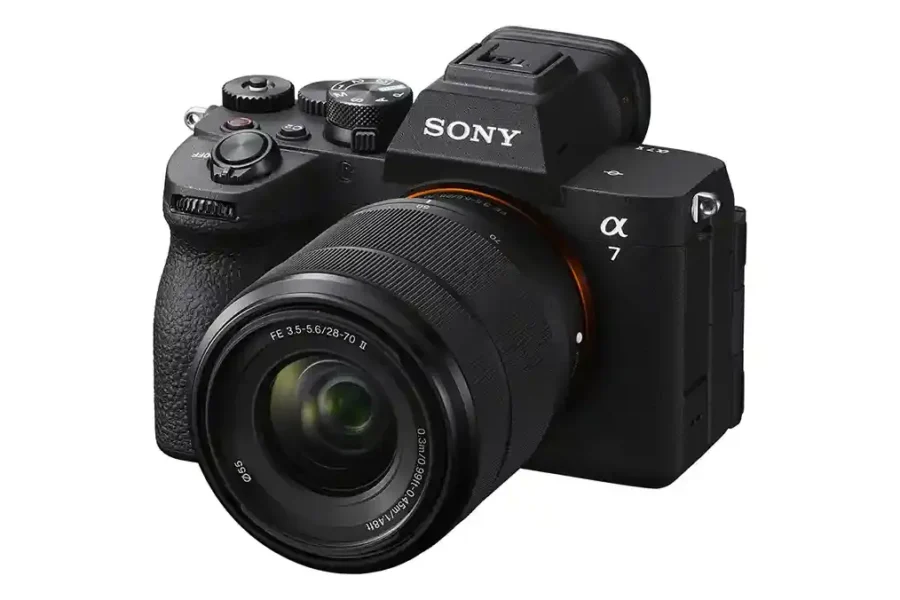
Sony has officially released Firmware Version 2.00 for the Alpha 7 V full‑frame mirrorless camera. This major update introduces professional audio recording capabilities, new focus functions, expanded FTP transfer options, and overall stability improvements. The A7 V continues to evolve as a hybrid powerhouse for both photographers and filmmakers.
The Sony A7 V is designed for creators who demand versatility, combining high‑resolution imaging with advanced video tools. With firmware v2.00, Sony addresses workflow needs for professional production environments. For more Sony coverage, explore our Sony A7 V news and our Sony E‑mount system guide.
Firmware v2.00 Download
Download Sony A7 V Firmware v2.00
Key Enhancements & Features
- High‑quality audio recording (96 kHz, 32‑bit float) when using the XLR‑A4 adapter via Multi Interface Shoe.
- Support for Preset Focus function with lenses that do not have power zoom (some exceptions apply).
- Focal length display now supports precision down to one decimal place.
- Simultaneous Delete and Rating of images recorded on both memory card slots.
- Folder names and file names now displayed during playback.
- Option to cancel scheduled FTP transfers of selected images.
- Expanded Transfer & Tagging settings:
- Automatic FTP transfer scheduling for protected stills and videos.
- Automatic protection of transferred stills.
- SFTP server configuration support.
- Support for Write Digital Signature for movies under Sony’s Camera Authenticity Solution.
- Support for Scan & Tag, Photo Cropping, and Volume Photography Commands under the Volume Photography License (paid license available late May 2026).
- Lens firmware updates via memory card menu are no longer supported — use the Windows/Mac OS update tool instead.
Bug Fixes
- Fixed issue where recording may not be possible when shooting movies with the ECM‑M1 microphone attached.
- Improved overall operational stability of the camera.
Why This Update Matters
Firmware v2.00 significantly enhances the A7 V’s usability for professional workflows. From high‑quality audio capture to expanded FTP transfer options and digital authenticity tools, Sony ensures the A7 V remains a reliable flagship for hybrid creators.
The Sony Alpha 7 V is available now, with deals at trusted retailers:
How to Install the Firmware Update
- Download the firmware file from Sony’s support page.
- Ensure your camera battery is fully charged before updating.
- Copy the firmware file to a formatted memory card.
- Insert the card into the A7 V and navigate to Setup Menu → Firmware Version → Update.
- Follow the on‑screen instructions until the update completes.
Should You Update?
Yes — this update is recommended for all Sony A7 V users. The new audio, focus, and FTP features expand creative possibilities, while bug fixes and stability improvements ensure smoother workflows.
For those new to the system, check out our guide: Sony A7 V Recommended Settings for Beginners and explore Best Sony E-Mount Lenses to maximize your setup.
Helpful Sony A7 V Guides
For more updates and coverage, follow our dedicated Sony A7 V page and explore the broader Sony Rumors archive. Stay tuned for more firmware news and photography updates here on DailyCameraNews.
Also join the Sony Camera Users Facebook Group to share your Sony photography