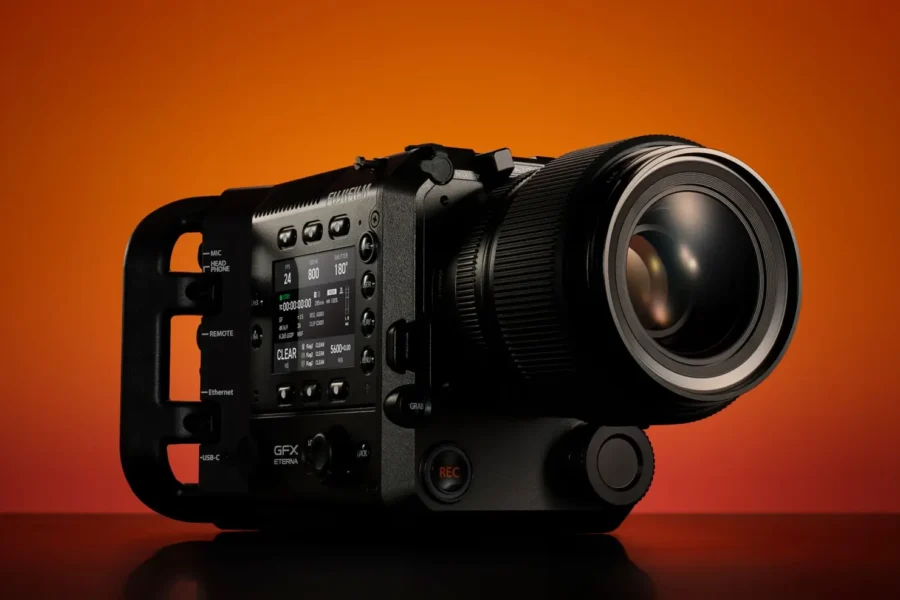
Fujifilm has announced new firmware updates for its medium format lineup: GFX ETERNA 55 Firmware v1.06 and GF 32‑90mm T3.5 PZ OIS WR Firmware v1.02. These updates improve external monitor performance, autofocus reliability, and focus ring response, ensuring smoother workflows for professional photographers and filmmakers.
The GFX system continues to evolve with firmware refinements that enhance usability and stability. For a deeper look at the system, check out our Fujifilm GFX Medium Format System Guide and stay updated on all Fujifilm GFX news.
Fujifilm GFX ETERNA 55 Firmware v1.06
Download GFX ETERNA 55 Firmware v1.06
Key Improvements
- Improved display delay for external monitors connected via SDI or HDMI under specific project settings (4K 4:3, ProRes HQ/422/LT, F‑Log2/HLG/RAW output OFF).
- Fixed AF mode bug where switching between “MULTI” and “TRACKING” could incorrectly activate “AREA” mode.
- Resolved playback issues when no storage media was inserted.
- Fixed freezing issue when attaching FUJINON Duvo series lenses and operating the expander during recording.
- Corrected AF tracking behavior when FOCUS LEVER SETTING was set to “PUSH TO UNLOCK.”
- Fixed playback bug where CLIP did not play.
- Resolved banding issues when applying default LUT in F‑Log2C under high‑saturation lighting.
- Updated 3D‑LUT “F‑Log2C_to_WDR” from Ver.1.00 to Ver.1.10.
- Other minor bug fixes.
Fujifilm GF 32‑90mm T3.5 PZ OIS WR Firmware v1.02
Download GF 32‑90mm T3.5 PZ OIS WR Firmware v1.02
Key Improvements
- Improved focus response when controlling focus using the focus ring.
- Other minor firmware fixes.
Why These Updates Matter
For GFX ETERNA 55 users, external monitor delay and AF reliability are critical in professional video production. The fixes ensure smoother monitoring, accurate autofocus, and stable playback. For GF 32‑90mm PZ lens users, improved focus ring response enhances precision, especially in controlled shooting environments.
Where to Buy
If you’re considering upgrading your kit, here are trusted retailers to check current prices and availability:
- Fujifilm GFX ETERNA 55 on Amazon
- Fujifilm GFX ETERNA 55 at B&H
- FUJINON GF 32‑90mm T3.5 PZ OIS WR on Amazon
- FUJINON GF 32‑90mm T3.5 PZ OIS WR at B&H
How to Install the Firmware Updates
- Download the firmware file from Fujifilm’s support page.
- Ensure your camera or lens battery is fully charged before updating.
- Copy the firmware file to a formatted memory card.
- Insert the card into the GFX camera with the lens attached (for lens update).
- Navigate to Setup Menu → Firmware Version → Update and follow the on‑screen instructions.
Should You Update?
Yes — these updates are recommended for all GFX ETERNA 55 and GF 32‑90mm users. Improved monitoring, autofocus reliability, and focus ring response ensure smoother workflows and maximum reliability in both stills and video production.
Related Links
Stay tuned for more firmware news and Fujifilm updates here on DailyCameraNews.
Stay tuned for more firmware news and photography updates and read more Fujifilm Rumors.
Also join the Fujifilm Camera Users Facebook Group to share your Fujifilm photography