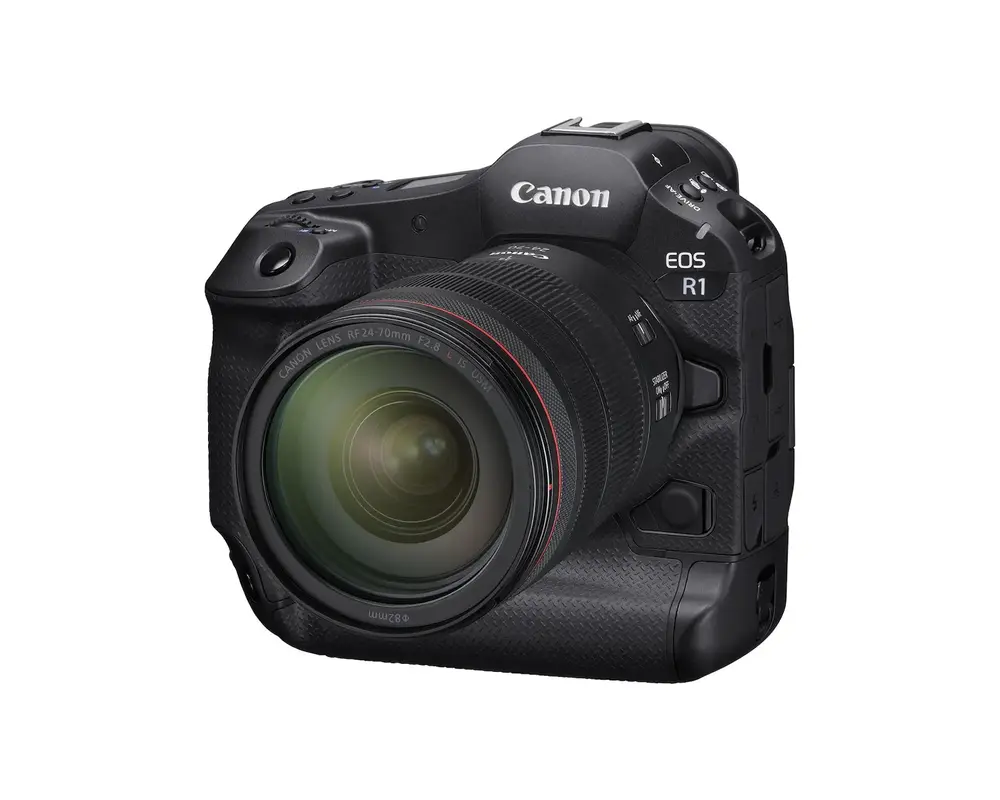
Canon has officially released firmware version 1.2.0 for its flagship EOS R1 full frame mirrorless camera, bringing a series of important fixes and performance enhancements. As part of Canon’s ongoing commitment to professional users, this update ensures smoother operation and greater reliability in demanding shooting environments.
What’s new in EOS R1 Firmware v1.2.0
The Canon firmware update for the EOS R1 includes the following improvements:
- Fixes FTP transfer errors: Resolves an issue where FTP transfers could fail with Err41 under certain network conditions.
- Corrects CFexpress card formatting bug: Addresses a rare issue that prevented some CFexpress cards from being formatted in-camera.
- Improves system stability: Enhances overall reliability during extended shooting sessions and high-performance workflows.
These updates are especially relevant for professionals using the EOS R1 in studio, sports, or remote environments where FTP transfers and high-speed card performance are critical.
👉 Download the update here: Canon EOS R1 Firmware v1.2.0
Why this Canon firmware update matters
The EOS R1 is Canon’s top-tier mirrorless camera, designed for elite professionals who demand uncompromising speed, resolution, and connectivity. This firmware update ensures:
- Reliable file delivery: FTP transfer stability is crucial for real-time media workflows, especially in sports and news photography.
- Seamless card management: Fixing CFexpress formatting issues prevents workflow disruptions and data loss.
- Confidence in the field: Stability improvements mean fewer interruptions and smoother operation during critical shoots.
For photographers and videographers who rely on the EOS R1’s cutting-edge capabilities, this update is a must-have.
How to install EOS R1 firmware v1.2.0
Canon recommends the following steps:
- Visit the official support page: Canon EOS R1 Firmware v1.2.0
- Download the firmware file to your computer.
- Copy the file to a formatted memory card.
- Insert the card into your EOS R1 and follow the on-screen instructions.
- Confirm the update by checking the firmware version in the camera’s settings menu.
Canon also advises users to register their product on MyCanon to receive future firmware notifications and support.
- $700 off on Canon EOS R5 body at B&H, Adorama.
- $300 off on Canon EOS R6 Mark II body at B&H, Adorama.
- Canon EOS R1 body at B&H, Adorama.
Final thoughts
The Canon firmware update for the EOS R1 full frame camera is a targeted release that addresses key reliability issues. While it doesn’t introduce new features, it reinforces Canon’s commitment to professional users by ensuring the EOS R1 remains a dependable tool in high-pressure environments.
Whether you’re shooting high-speed sports, remote editorial work, or cinematic productions, updating to firmware v1.2.0 will help keep your workflow smooth and secure.
Skylum has officially launched its biggest sale of the year, offering up to 75% off on Luminar Neo and the full Luminar Ecosystem.
👉 Claim Your Luminar Neo Black Friday Deal Now →
-
📸 Canon Black Friday Deals 2025 — Mirrorless and DSLR cameras, lenses, and bundles.
Join the Canon Camera Users Group to share your Canon photography, ask and answer questions that arise and help each others!