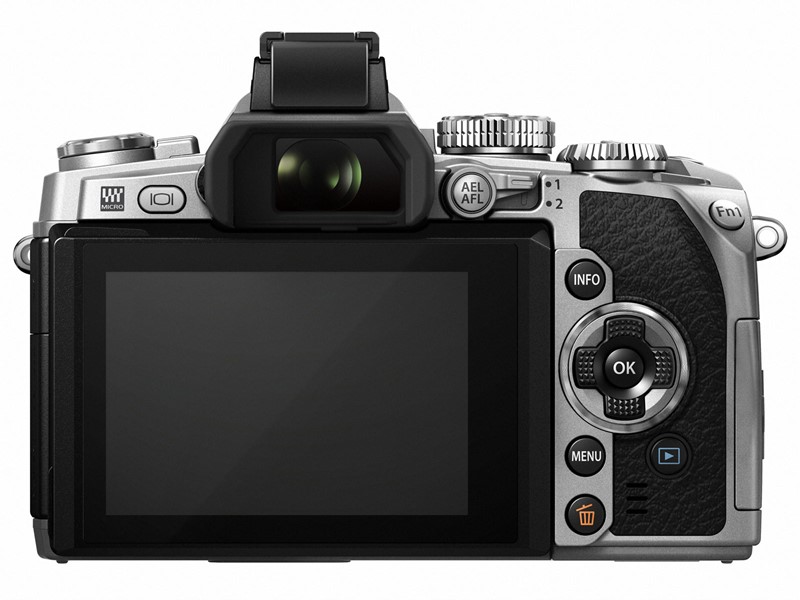
Olympus released a new firmware update for the Olympus OM-D E-M1 micro four thirds system mirrorless camera.
Firmware version 2.0 for E-M1 is now available for download by using the Olympus Digital Camera Updater.This is the fourth firmware update for the high-end OM-D E-M1 mirrorless camera.
The new firmware arrived with the newly announced silver version E-M1 and now available for all Olympus E-M1 users. More details can be seen below.
Olympus Released Firmware Update 2.0 for OM-D E-M1 Camera
8 new functions have been added:
- Keystone Compensation (Digital Shift)
- Tethered Shooting System (OLYMPUS capture)
- Live Composite photography
- Zoom In/Out and Layout have been added to Photo Story. Save (complete partway through), Temporary Save, and Resume functions have been added to Photo Story mode.
- Vintage and Partial color have been added to art filter.
- Old film effect has been added to movie effect.
- The Aperture Lock function has been added to Aperture Preview.
- The Panning Shot Shooting mode has been added to SCN mode.
16 operability improvements:
- Image display time lag: 16 msec (when frame rate setting is high)
- Multiple simultaneous settings are now available in Live Guide.
- Exposure compensation (±3 EV) is now available in HDR 1/HDR2 shooting.
- A function was added to cancel Color Creator and return to the original Picture Mode by pressing the MENU button when using Color Creator function.
- Even when Art Filter is set for the Picture Mode in movie shooting, the Movie Tele-converter can now be used.
- AF function for each frame was added to Custom Self Timer. In Drive Mode’s Custom Self Timer settings, you can now press the INFO button to change settings.
- MF Assist is now supported in magnified frame position.
- 3x has been added to high resolution magnified Live View.
- The Peaking display frame rate has been improved.
- Electronic zoom speed setting function was added. An icon appears on the LCD monitor when using the Olympus zoom lens.
- When the arrow pad is set to Direct function, the Underwater/Underwater macro functions can be used with the left and down button on the arrow pad.
- Double tap is now supported in touch operations on the Super Control Panel.
- The level gauge and histogram can now be displayed during magnified frame display. The Touch Off icon was added to magnified frame display.
- A function was added so that shooting information recorded in HDR1/HDR2 can be viewed in the playback screen. Information on composited number of shots for images recorded with Live Composite was added.
- Short-cut access is now supported for Live Composite, Live Bulb, and Live Time setting menus.
- When the BKT button is pressed for seconds, the BKT menu now appears.
OI.Share
- OI.Share version 2.4 is supported.
How to update Olympus E-M1 Firmware version 2.0, please refer to Olympus Support page

See More DCN on Google
Add Daily Camera News as a trusted source to see our latest camera reviews, deal alerts, and photography news first in Google Search.
Explore Recommended Gear
Looking for the best cameras, lenses, and accessories? Check out our curated, hand-picked gear lists on Amazon.