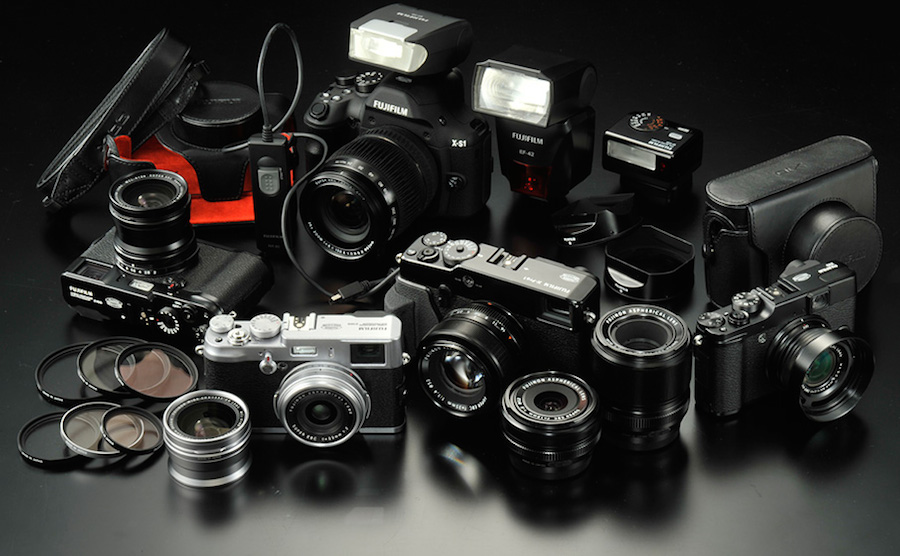
Fujifilm has released a new firmware update for the Fujifilm X-T1, X-E2, X-PRO1, XQ1, X-A1 and X-M1 compact system premium cameras.
Fujifilm X-T1, X-E2, X-PRO1, XQ1, X-A1 and X-M1 firmware updates now available for download. See the download links below.
The new firmware basically adds compatibility with the new “XF 18-135mmF3.5-5.6 R LM OIS WR“, to ensure that autofocus performs as expected.
Some fixes and improvements also for the X-M1, X-A1 and XQ1 are available. See all the firmware details below.
Fujifilm X-T1, X-E2, X-PRO1, XQ1, X-A1 and X-M1 Firmware Updates Now Available
- 1. Addition of compatibility with “XF18-135mmF3.5-5.6 R LM OIS WR” – To ensure that autofocus performs as expected, upgrade the firmware for the camera.
- 2. Improvement of “Exposure compensation/exposure indicator” in EVF – Values are added to the scales of the indicator for better visibility.
- 3. Improvement of Movie-record button operability – To avoid an accidental movie shooting, the delayed time will become longer between the moment you press the button and a movie shooting starts or ends.
- 4. The phenomenon is fixed that images are not recorded with the set interval when “INTERVAL” in “INTERVAL TIMER SHOOTING” is set to 5 sec or less. In this case, the setting of “IMAGE DISP.” in “SCREEN SET-UP” will change to “OFF” automatically.
- 1. Addition of compatibility with “XF18-135mmF3.5-5.6 R LM OIS WR” – To ensure that autofocus performs as expected, upgrade the firmware for the camera.
- 2. Change of aperture display for zoom lenses – Display of aperture value when zooming with the shutter button pressed halfway will become same as the display when zooming without the shutter button pressed.
- 1. Addition of compatibility with “XF18-135mmF3.5-5.6 R LM OIS WR” – To ensure that autofocus performs as expected, upgrade the firmware for the camera.
- 2. Change of aperture display for zoom lenses – Display of aperture value when zooming with the shutter button pressed halfway will become same as the display when zooming without the shutter button pressed.
- 1. Addition of compatibility with “XF18-135mmF3.5-5.6 R LM OIS WR” – To ensure that autofocus performs as expected, upgrade the firmware for the camera.
- 2. Change of aperture display for zoom lenses – Display of aperture value when zooming with the shutter button pressed halfway will become same as the display when zooming without the shutter button pressed.
X-M1 ver. 1.20 / X-A1 ver. 1.20
- 1. Addition of compatibility with “instax SHARE SP-1″ – Images can be directly transferred to the “SP-1″ from a camera and then printed.
- 2. Addition of compatibility with “XF18-135mmF3.5-5.6 R LM OIS WR” – To ensure that autofocus performs as expected, upgrade the firmware for the camera.
- 3. Change of aperture display for zoom lenses – Display of aperture value when zooming with the shutter button pressed halfway will become same as the display when zooming without the shutter button pressed.
- 4. Improvement of recorded sound – Sound quality of a movie shooting is improved.
- 5. The phenomenon is fixed that in rare cases, gray stripes could appear in highlight portion of images with a standard viewer of a smartphone (only Android).
- 1. Addition of compatibility with “instax SHARE SP-1″ – Images can be directly transferred to the “SP-1″ from a camera and then printed.
- 2. The phenomenon is fixed that in rare cases, a camera could stop working during image transfer when starting “PC AutoSave” function by pressing the Wi-Fi button.
You can download the new firmware updates for X-T1, X-E2, X-PRO1, XQ1, X-A1 and X-M1 from Fujifilm’s support site.

See More DCN on Google
Add Daily Camera News as a trusted source to see our latest camera reviews, deal alerts, and photography news first in Google Search.
Explore Recommended Gear
Looking for the best cameras, lenses, and accessories? Check out our curated, hand-picked gear lists on Amazon.