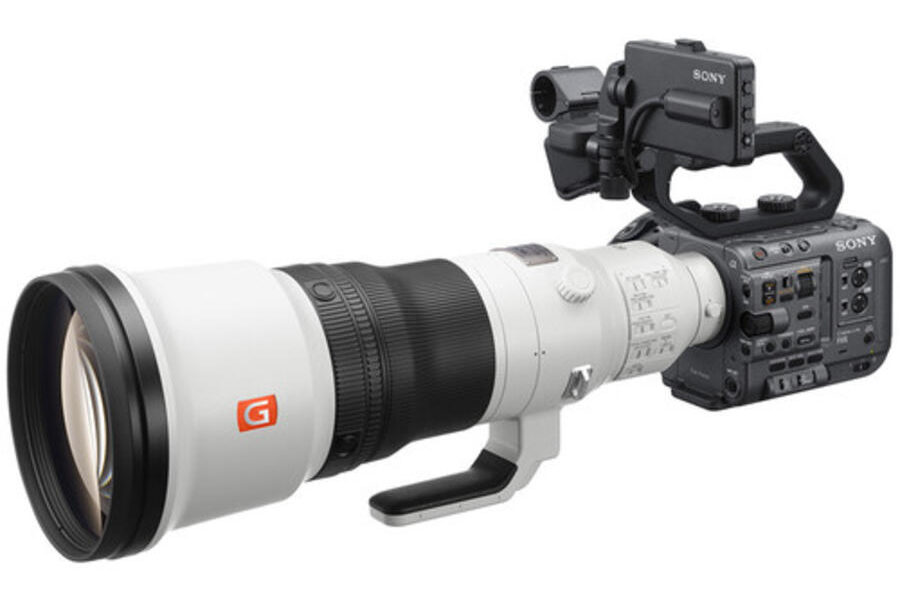
Firmware Release: Sony FX6 v6.02
Sony has officially released firmware version 6.02 for its popular full-frame Cinema Line camera, the Sony FX6. Released on November 5, this maintenance software update targets a rare but critical bug affecting simultaneous dual-slot backup recording.
For cinematographers, documentary crews, and live event videographers who rely on simultaneous card recording to protect unrepeatable footage, applying this fix ensures your safety net functions as intended. If you want to learn more about building out a full production rig, check out our comprehensive Sony E-mount system guide.
What’s New in Sony FX6 Firmware 6.02?
While minor in terms of total feature additions, firmware 6.02 delivers an essential stability improvement for dual-card recording workflows.
Changelog Highlights
- Dual-Slot Backup Fix: Improved stability during simultaneous dual-slot recording. Resolves a rare issue where an error occurring on one media card could cause recording to stop on the backup card as well.
- Includes All v6.00 Features: Retains all major functionality introduced in major release 6.00, including the BIG6 home screen interface and updated display layouts.
Official Download Link: You can download the latest official firmware update file directly from Sony’s support hub:
- Download official Sony FX6 Firmware Update v6.02
For a detailed breakdown of the BIG6 home screen interface and display improvements introduced in the previous major software cycle, read our coverage on the Sony FX6 firmware version 6.00 update.
How to Install the Firmware Update
Updating your cameras takes approximately 8 minutes. Follow these official guidelines provided by Sony:
- Download the version 6.02 firmware update file from Sony’s official support page.
- Format a compatible SD card or CFexpress Type A card inside your Sony FX6.
- Copy the downloaded update file directly to the root directory (top level) of your memory card using a card reader.
- Crucial Step: Insert the card containing the update file into SLOT B ONLY. The FX6 will not recognize update files loaded into Slot A.
- Connect the camera to continuous AC power via the AC adaptor (required by the camera system before initiating the update process).
- Turn on the camera, navigate to MENU > Maintenance > Version, and select Version Up.
- Follow the on-screen prompts and wait approximately 8 minutes for the update process to complete.
Should You Update?
Yes—especially if you shoot live events, weddings, or commercial interviews where simultaneous dual-slot recording is mandatory. The core purpose of backup recording is to guarantee redundancy if a media card fails; eliminating the bug that caused both slots to halt ensures true dual-card protection. If you only ever record to a single card, the update is less urgent, but installing it remains best practice for long-term system stability.
Pairing your cinema body with high-resolution glass? Explore our buyer’s guide to the best Sony E-mount lenses to find cinema-ready prime and zoom options with minimal focus breathing.
Price & Availability
The Sony FX6 Cinema Line camera body continues to be an industry-standard full-frame cinema workhorse for solo operators and production crews alike. Check store availability and current pricing below:
Looking for current discounts on Sony Cinema Line gear?
Check out our updated selection of Sony Black Friday deals to find active instant rebates on Cinema Line bodies, G Master lenses, and high-speed TOUGH memory cards.
Looking for compatible optics or accessories? Explore our lenses section for in-depth reviews and cinema gear comparisons.
Summary
Sony FX6 firmware update version 6.02 provides a crucial patch for operators relying on simultaneous dual-slot backup recording. By resolving the rare bug where a single card error could stop recording on both slots, Sony restores full reliability to backup workflows. Remember to load the update file into Slot B using AC power, and save your settings file beforehand if updating from version 5.02 or older. Download version 6.02 from Sony’s official support page today.
Stay tuned for more firmware news and photography updates here on DCN. Also join the Sony Camera Users Facebook Group to share your Sony photography
Frequently Asked Questions (FAQ)
Q: What issue does Sony FX6 firmware version 6.02 fix?
A: Firmware 6.02 fixes a rare issue during simultaneous dual-slot recording where a card error in one slot could cause recording to stop on the backup slot as well.
Q: Which card slot should I use to install the FX6 firmware update?
A: The FX6 firmware update file must be placed in Slot B. Slot A will not read the update file.
Q: Will updating to firmware 6.02 reset my camera settings?
A: If you are updating from firmware version 5.02 or older, the camera will reset to default settings. Save your settings to an “ALL File” on a card before updating to restore them afterward.

See More DCN on Google
Add Daily Camera News as a trusted source to see our latest camera reviews, deal alerts, and photography news first in Google Search.
Explore Recommended Gear
Looking for the best cameras, lenses, and accessories? Check out our curated, hand-picked gear lists on Amazon.