Firmware Release: Fujifilm GF Prime Lenses (November 2026)
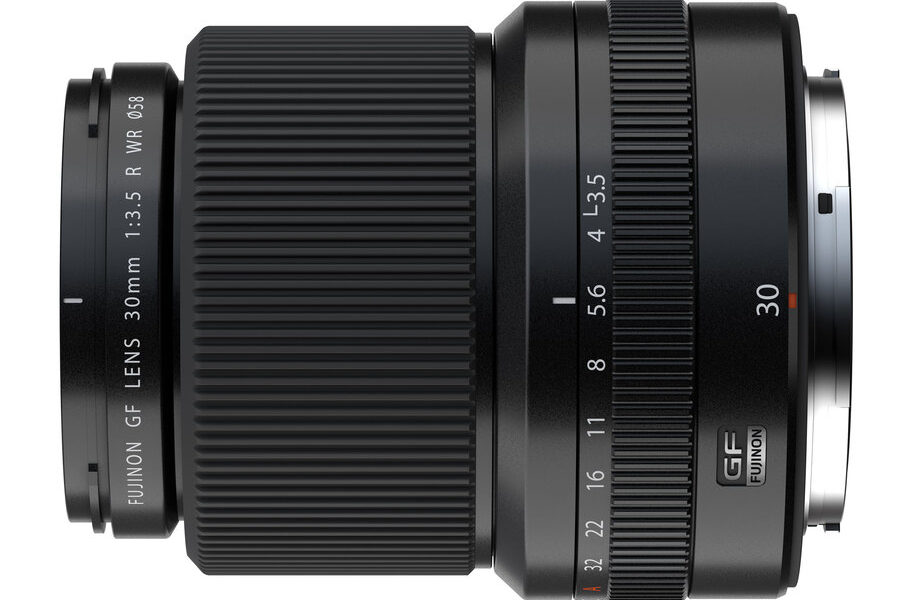
Fujifilm has officially released a batch of maintenance firmware updates for three popular prime lenses in its medium-format GF lineup: the Fujinon GF30mmF3.5 R WR (v1.01), Fujinon GF45mmF2.8 R WR (v1.11), and Fujinon GF63mmF2.8 R WR (v1.11). Released on November 26, 2026, these updates target a specific acoustic issue affecting lens startup and shutdown behavior.
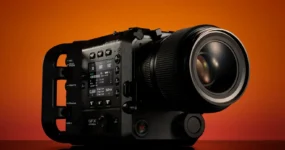
Whether you pair these weather-resistant primes with high-resolution 102MP stills bodies or medium-format cinema systems, keeping lens software current guarantees quiet, dependable operation in the field. If you are looking to deploy GF glass for narrative or commercial filmmaking, check out our coverage on the Fujifilm GFX ETERNA 55 body-only $9,999 deal.
What’s New in the Latest GF Lens Firmware Updates?
All three lens firmware packages address the exact same operational anomaly, eliminating an unwanted noise generated when powering the camera system on or off.
Fujinon GF30mmF3.5 R WR Firmware Version 1.01
- Power On/Off Noise Fix: Fixed a firmware bug from Ver. 1.00 that caused some lenses to emit an unusual noise when the camera power is turned on or off.
Fujinon GF45mmF2.8 R WR Firmware Version 1.11
- Power On/Off Noise Fix: Fixed a firmware bug from Ver. 1.10 that caused some lenses to emit an unusual noise when the camera power is turned on or off.
Fujinon GF63mmF2.8 R WR Firmware Version 1.11
- Power On/Off Noise Fix: Fixed a firmware bug from Ver. 1.10 that caused some lenses to emit an unusual noise when the camera power is turned on or off.
Official Download Links: You can download the official lens firmware packages directly from Fujifilm’s global support portal:
- Download official Fujifilm GF30mmF3.5 R WR Firmware v1.01
- Download official Fujifilm GF45mmF2.8 R WR Firmware v1.11
- Download official Fujifilm GF63mmF2.8 R WR Firmware v1.11
.DAT file onto a freshly formatted memory card, attach the lens to your camera, and hold down the DISP/BACK button while turning the power on.How to Install the Firmware Update
Updating your Fujifilm GF lenses takes less than five minutes using a compatible GFX camera body. Follow these official steps:
- Download the firmware update zip file for your specific GF lens from Fujifilm’s download page and decompress the
.DATfile on your computer. - Format a memory card inside your Fujifilm GFX camera body.
- Insert the memory card into your computer via a card reader and copy the extracted firmware file directly to the root directory (top level) of the card.
- Attach the target GF lens to your camera body, insert a fully charged battery and the memory card, and power on the camera while holding down the DISP/BACK button.
- Select Firmware Update, choose Lens, and follow the on-screen prompts until completion (takes up to 5 minutes).
- Turn off the camera, remove the memory card, and recheck the version screen to verify the updated lens firmware number.
Should You Update?
Yes. Even if your particular copy of the GF30mmF3.5, GF45mmF2.8, or GF63mmF2.8 hasn’t exhibited noticeable startup or shutdown noises yet, installing this official firmware patch ensures proper internal motor parking and initialization routines every time you power your GFX body on or off.
Price & Availability
All three weather-resistant GF prime lenses remain core staples of Fujifilm’s large-format optical lineup. Check store availability and current pricing below:
Looking for instant savings on Fujifilm gear?
Check out our updated selection of Fujifilm Black Friday deals to find active price drops on GFX bodies, X-Series cameras, and Fujinon lenses.
Fujifilm GF30mmF3.5 R WR – Check Store Prices & Availability:Amazon | B&H Photo | Adorama
Fujifilm GF45mmF2.8 R WR – Check Store Prices & Availability:
Fujifilm GF63mmF2.8 R WR – Check Store Prices & Availability:
Looking for more camera news, reviews, and system guides? Browse our Fujifilm and cameras sections for full gear coverage.
Summary
Fujifilm’s latest firmware updates for the GF30mmF3.5 R WR (v1.01), GF45mmF2.8 R WR (v1.11), and GF63mmF2.8 R WR (v1.11) resolve an unusual noise bug that occurred when turning the camera on or off. Taking a few minutes to download and install these free updates via a GFX camera body ensures smooth, quiet lens operation on every shoot.
Stay tuned for more firmware news and photography updates here on DCN.
Frequently Asked Questions (FAQ)
Q: What do the new firmware updates for the GF30mmF3.5, GF45mmF2.8, and GF63mmF2.8 fix?
A: All three updates fix a firmware bug that caused some lenses to emit an unusual noise when the camera power is turned on or off.
Q: How do I update the firmware on a Fujifilm GF lens?
A: Copy the extracted lens firmware (.DAT) file to the root directory of a formatted memory card, attach the lens to a charged GFX camera body, and power on while holding down the DISP/BACK button.
Q: Can I revert back to an earlier firmware version after updating my GF lens?
A: No, once a Fujifilm GF lens firmware update is installed, it cannot be downgraded to a previous version.

See More DCN on Google
Add Daily Camera News as a trusted source to see our latest camera reviews, deal alerts, and photography news first in Google Search.
Explore Recommended Gear
Looking for the best cameras, lenses, and accessories? Check out our curated, hand-picked gear lists on Amazon.