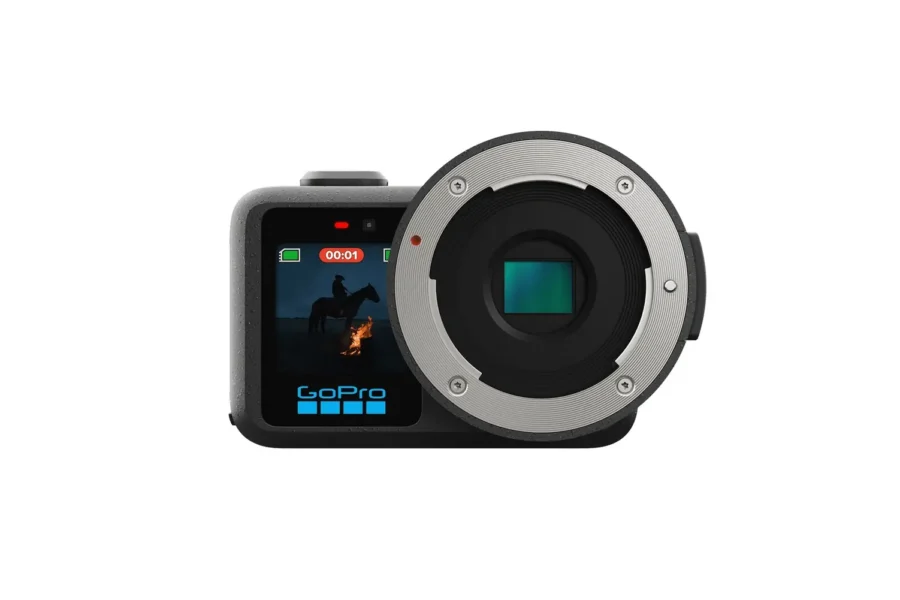
For years, action camera shooters wanting to capture high-resolution still photos faced one glaring operational hurdle: sluggish shutter response times. While action cameras excelled at recording high-framerate, stabilized video, pressing the shutter button for a snapshot often resulted in frustrating shutter lag, causing creators to miss split-second action moments. GoPro has directly addressed this drawback with a massive, free firmware update across the entire MISSION 1 line.
Headline features include “Rapid Photo”—delivering zero-lag shutter response alongside rapid continuous buffer bursts—an upgraded physical Point-and-Shoot Grip, professional exposure monitoring overlays in the MISSION Monitor app, and experimental GoPro Labs beta support for Micro Four Thirds anamorphic cinema lenses on the flagship MISSION 1 PRO ILS. Below is our complete, in-depth breakdown of everything included in this landmark release.
Quick Summary: Key Update Features at a Glance
Here is a comprehensive breakdown of the core features and enhancements provided in this latest free update package:
| Feature Category | GoPro MISSION 1 Firmware & Software Update Details |
|---|---|
| Rapid Photo Shutter | Zero-lag shutter response across all MISSION 1 Series models for instantaneous frame capture. |
| Continuous Burst Performance | Fires 100+ frames at 12MP or 20+ RAW frames at 50MP with continuous button press. |
| Visual & Audio Cues | New on-screen buffer capacity indicator & distinct confirmation shutter sound. |
| Physical Handling | Paired with the new Point-and-Shoot Grip (rubberized metal frame + dual cold shoes). |
| MISSION Monitor App | Free iOS/iPadOS app adding Histogram, Waveform, RGB Parade, & False Color. |
| GoPro Labs (PRO ILS) | Beta support for Anamorphic Squeeze Ratios (1.33x, 1.5x, 1.6x, 1.8x, 2.0x) with HyperSmooth. |
| Update Price & Download | 100% Free | Download via GoPro Quik app or GoPro Official Update Page. |
1. Zero-Lag “Rapid Photo” & Continuous Burst Performance
The single most impactful improvement in this update is Rapid Photo. GoPro redesigned the camera’s shutter processing pipeline to eliminate shutter lag entirely. The moment you press the shutter release button, the frame is recorded instantly—turning all MISSION 1 Series cameras into responsive street, travel, and action still photography tools.
Holding down the shutter button activates Continuous Shutter mode, capable of firing over 100 consecutive frames at 12MP resolution, or blasting through more than 20 uncompressed RAW exposures at full 50MP resolution. To manage heavy image buffers during intense burst sequences, GoPro incorporated a clear on-screen buffer meter on the rear display alongside a distinct, retro-style confirmation shutter sound.
Search GoPro MISSION 1 Cameras & Accessories
Check live stock availability, Point-and-Shoot Grips, and current dealer pricing across authorized photo stores:
Check Price on Amazon
Shop GoPro Gear at B&H Photo
Grip Tip: The new Point-and-Shoot Grip features a rubberized aluminum alloy skeleton with two cold shoe mounts—allowing you to attach a shotgun microphone and compact LED panel simultaneously for handheld street vlogging!
2. MISSION Monitor App: Field Monitor Exposure Tools for GP-Log2
To complement the camera-side firmware, GoPro launched a substantial update to the free MISSION Monitor app for iPhone and iPad. Connecting wirelessly to the camera for live low-latency preview, the app introduces four critical exposure and color tools typically reserved for expensive external production field monitors:
- RGB Parade: Essential for evaluating color channels when recording in flat GP-Log2, where subtle color casts are difficult to spot by eye on standard displays.
- Waveform Monitor: Provides precise luma distribution analysis to prevent blown-out sky highlights or crushed shadow details.
- False Color Overlays: Displays color-coded exposure zones across the image, allowing videographers to set skin tones accurately.
- Real-Time Histogram: Offers rapid exposure balance verification across all shooting modes.
Search Fast microSDXC Cards for GoPro MISSION 1
Maximize your 50MP RAW continuous burst buffer clearing times with fast V60 & V90 media:
3. Anamorphic Lens Support via GoPro Labs for MISSION 1 PRO ILS
For cinema filmmakers using the Micro Four Thirds-mount MISSION 1 PRO ILS, the latest GoPro Labs beta firmware unlocks native anamorphic lens support. The update incorporates dedicated de-squeeze profiles for 1.33x, 1.5x, 1.6x, 1.8x, and 2.0x anamorphic squeeze ratios, alongside instant switching presets to toggle between spherical and anamorphic glass.
Crucially, GoPro’s signature HyperSmooth stabilization remains fully operational when shooting through anamorphic glass. Furthermore, the firmware embeds pixel aspect ratio metadata directly into recorded video files, allowing non-linear editing systems like DaVinci Resolve and Adobe Premiere Pro to desqueeze widescreen footage automatically upon import. An on-camera desqueeze preview mode is currently in development for a future update.
4. Download Links & Installation Instructions
All three components of this update package are completely free and available immediately for all MISSION 1 Series owners:
- Camera Firmware Download: Install automatically via the GoPro Quik app, or manually download files through the GoPro Official Update Page.
- MISSION Monitor App: Download for free via the Apple App Store for compatible iOS/iPadOS devices.
- GoPro Labs Beta Firmware: Available for download directly through the official GoPro Labs developer portal for MISSION 1 PRO ILS users.
Compare authorized pricing, bundle options, and live stock across top camera retailers:
Search GoPro MISSION 1 on Amazon | Shop GoPro at B&H Photo | Browse Store Deals at Adorama
To review how this ecosystem evolved, check out our report on the GoPro MISSION 1 PRO ILS price, specs, and release date, recall the early release timeline in our GoPro MISSION 1 preorder guide, read about GoPro’s milestone move when GoPro officially joined the Micro Four Thirds system group, or shop current gear discounts in our Black Friday content creator deals roundup.
Frequently Asked Questions (FAQ)
Frequently Asked Questions About the GoPro MISSION 1 Series Update
Q: Is the Rapid Photo zero-lag shutter update available for all MISSION 1 models?
A: Yes! The Rapid Photo update and zero-lag shutter improvements are available across all cameras in the GoPro MISSION 1 Series.
Q: Does HyperSmooth stabilization work with anamorphic lenses on the MISSION 1 PRO ILS?
A: Yes, the GoPro Labs beta firmware allows HyperSmooth stabilization to operate seamlessly alongside 1.33x, 1.5x, 1.6x, 1.8x, and 2.0x anamorphic squeeze ratios.
Q: Where can I download the free MISSION 1 firmware update?
A: You can perform the update wirelessly through the GoPro Quik app or manually download the update package from the GoPro Official Update Page.