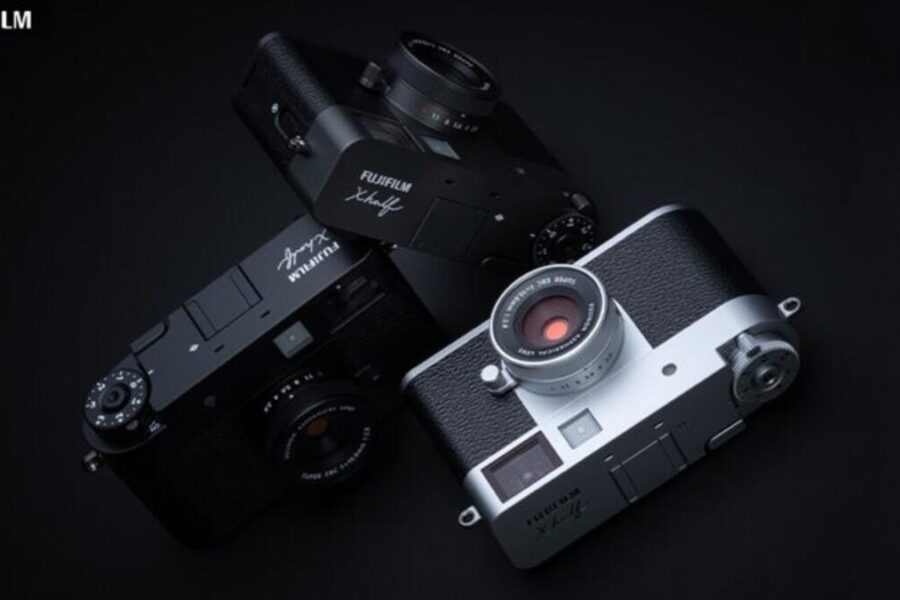
When Fujifilm introduced the X-Half—a lightweight, vertical-aspect, half-frame digital compact camera—it captured the imaginations of analog enthusiasts, street photographers, and content creators alike. Blending digital convenience with simulated analog mechanics like manual film-advance levers and hidden digital “developing” mechanics, the X-Half offered an undeniable retro charm. However, early adopters noted minor performance bottlenecks in shot-to-shot timing, focus response in low light, and limited roll options.
With the release of Firmware 2.00, Fujifilm directly addresses user feedback by optimizing hardware responsiveness while expanding artistic controls. From faster startup times to new vintage aesthetic options, this free update transforms the daily usability of the camera.
Daisy’s Take: Firmware updates that improve actual operational speed are always a massive win for photographers! While creative additions like the ‘Soft Glow’ filter are fun visual additions, cutting down AF acquisition times in low light and speeding up startup time makes the X-Half feel drastically more nimble during fast-moving street photography sessions. Adding 12 and 24-frame rolls makes the digital film simulation experience much more accessible for quick outings.
Fujifilm X-Half Firmware Version 2.00 Overview
At a Glance: Firmware Version 2.00 focuses on system speed, shooting agility, and direct print workflow improvements for the X-Half.
| Firmware Feature / Change | Version 2.00 Details & Operational Impact |
|---|---|
| Camera Responsiveness | Reduced startup time, shorter shot-to-shot intervals, and faster AF focus acquisition (especially in low light or distance shifts). |
| New Creative Filter | Added “Soft Glow” effect to Image Quality Settings for stills. Diffuses bright highlights into a gentle bloom. |
| Film Camera Mode Expansion | Introduced 12-frame and 24-frame roll options alongside existing 36, 54, and 72-exposure settings. |
| instax™ Direct Printing | New dedicated [Direct Print] icon added to single-frame playback screen for instant printing with instax™ printers. |
| Smartphone Pairing UI | Redesigned pairing screen layout and improved connection stability when linking to the FUJIFILM XApp. |
| System Stability | General operational refinements and minor bug fixes. |
Download Fujifilm X-Half Firmware Update 2.00
Deep Dive into the Firmware 2.00 Features & Enhancements
1. Real-World Performance Boosts: Faster Startup & Smarter AF
The headline feature of Firmware 2.00 is speed. Fujifilm engineered low-level optimizations to accelerate the camera’s general responsiveness. Startup time from cold power-on is visibly shorter, letting photographers raise the camera and capture candid moments without missing a beat.
Additionally, focus algorithms have been retuned. Autofocus hunting has been minimized when racking focus between foreground and distant background subjects. Low-light AF tracking has also been noticeably improved, giving users cleaner acquisition in dimly lit cafes, nighttime street settings, and indoor social gatherings.
2. New “Soft Glow” Filter: Dreamy Analog Aesthetics
Joining popular existing visual filters like Halation, Light Leak, and Expired Film, the new Soft Glow filter gives JPEG-only shooters another expressive tool. Soft Glow subtly bleeds high-key specular highlights across adjacent tones without destroying midtone contrast. It mimics the vintage look of pro mist diffusion filters or classic uncoated legacy lenses, making it particularly effective for portraiture, backlit scenes, and street photography.
3. Flexible Roll Sizes in Film Camera Mode
One of the X-Half’s most creative features is its Film Camera Mode, where the rear LCD turns off, forcing the photographer to frame through the optical tunnel viewfinder and pull the mechanical lever after each shot. Previously, users had to complete 36, 54, or 72 frames before the camera would “develop” and render the final digital album to their smartphone.
Firmware 2.00 introduces 12-exposure and 24-exposure rolls. A 12-shot roll allows photographers to shoot a quick lunch walk or short event, complete the roll rapidly, and enjoy the developed photos on the same day—making the vintage shooting mode much more practical for spontaneous, everyday photography.
4. Seamless instax™ Direct Printing & Smartphone Workflow
For fans of tangible photo prints, Firmware 2.00 adds a dedicated Direct Print button right on the single-frame playback screen. When connected to a compatible instax™ printer (such as the instax Link WIDE, MINI LINK, or SQUARE series), tapping the icon sends the image straight to print without navigating through complex menu layers. The revised pairing screen simplifies initial Bluetooth and Wi-Fi setup with smartphones running the latest FUJIFILM XApp.
Daisy’s Pro Tip: Before upgrading to Firmware 2.00, make sure your camera battery is fully charged to 100%! Never power off the camera or remove the SD card during a firmware installation process. Always format your SD card inside the X-Half camera before copying the DAT firmware file onto the root directory.
Step-by-Step Installation Guide for Firmware 2.00
Upgrading your Fujifilm X-Half is quick and straightforward. Follow these official steps to ensure a smooth update:
- Download: Visit the official Fujifilm support page and download the
X-HF1_FW200.DAT(or equivalent official update file) to your computer. - Format SD Card: Insert a compatible SD card into your X-Half camera and format it via MENU > USER SETTING > FORMAT.
- Transfer File: Insert the formatted SD card into your card reader and copy the downloaded firmware file directly into the main root folder (do not place it inside sub-folders).
- Initiate Update: Insert the card back into the camera with a fully charged battery. Hold down the DISP/BACK button while turning the power switch ON.
- Confirm: Follow the on-screen prompts to confirm the update from version 1.30 to 2.00. Wait roughly 2 to 5 minutes until the camera completes the installation and notifies you to restart.
Note on Custom Settings: Performing this firmware update retains your saved film simulation recipes and key custom function assignments. However, verifying your custom setup after restarting the body is always good practice.
Price & Availability
The Fujifilm X half is available now through major retailers. Check the latest prices and availability below:
Buy the Fujifilm X half
Check Fujifilm X half Prices at B&H
Check Fujifilm X half Prices on Amazon
Tip: Buying from authorized retailers ensures warranty coverage and access to official support.
Frequently Asked Questions (FAQ)
Frequently Asked Questions
Q: Does Firmware 2.00 add RAW shooting capabilities to the X-Half?
A: No. The X-Half is designed strictly around JPEG output, leveraging Fujifilm’s film simulations, retro grain profiles, and filter effects.
Q: Can I skip previous updates and jump directly from Version 1.00 or 1.30 to 2.00?
A: Yes! Fujifilm firmware updates are cumulative, meaning Version 2.00 contains all performance enhancements and fixes released in earlier versions.
Q: How do shorter 12-frame rolls benefit Film Camera Mode?
A: Shorter roll options allow you to complete a shooting sequence quickly without needing 36 or 72 shots, letting you ‘develop’ and review your digital film photos on the same day.
Final Verdict: Should You Update Right Away?
Absolutely. Fujifilm Firmware 2.00 is an exemplary software release that directly addresses operational feedback while giving creators fun new tools. The combination of faster autofocus, reduced startup lag, flexible 12/24 frame roll lengths, and the artistic Soft Glow filter makes updating a no-brainer for every X-Half owner.
Download the update today and share your thoughts in the comments below!
For more detailed technical breakdowns, lens release news, and coverage across the X-Series ecosystem, be sure to visit our comprehensive Fujifilm Camera News Category, follow our ongoing updates on our dedicated Camera Firmware Tag Page, check out our coverage under the Fujifilm X-Half Tag, and consult our complete Fujifilm X System Buying and Lens Guide.
Also join the Fujifilm Camera Users Facebook Group to share your Fujifilm photography.